
Hyper Software ne hamare business ko online ek nayi pehchan di. Website professional, fast aur SEO optimized hai. Website Design & Development ke liye best company.

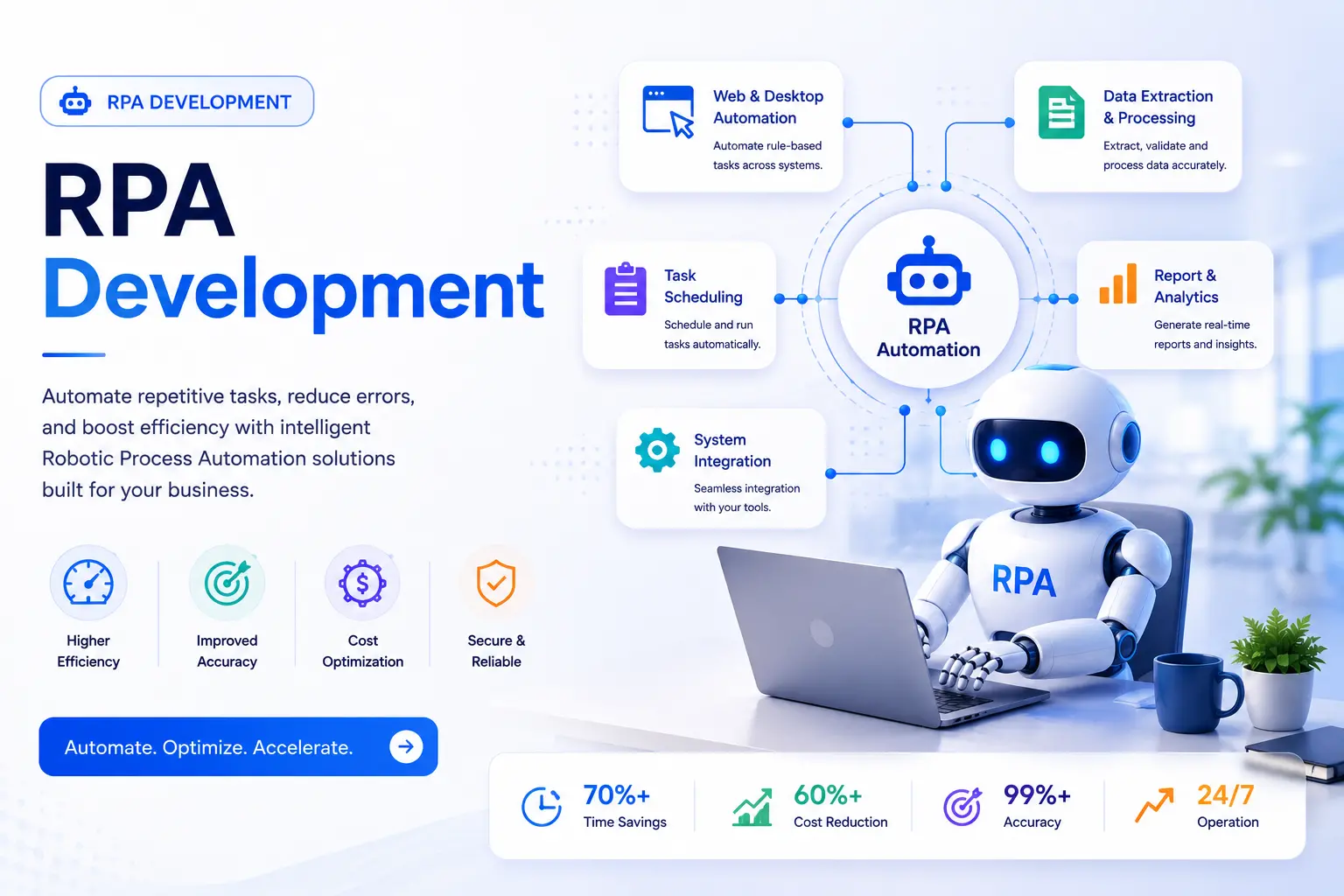
Your team is still copying data from one system to another by hand. Someone is still manually checking invoices against purchase orders every single day. That's the problem RPA development solves.
RPA development is the process of building software bots that do these repetitive, rule-based tasks for you, working inside your existing systems, at any hour, without getting tired or making typos. At Hyper Software, we design, build, test, and deploy custom RPA bots for businesses worldwide, and this page walks you through exactly what that involves, what it costs, and how to tell if it's right for you.
Let's get into it.
RPA stands for Robotic Process Automation. Despite the name, there's no physical robot involved. RPA development means building a "software robot," a small program that logs into your applications, moves data around, fills in forms, and clicks buttons exactly the way human employee would.
The bot doesn't need a new API development or a rebuilt system to work. It operates on top of your existing software, whether that's an old desktop accounting tool, a modern cloud CRM, or a mix of both. That's what makes RPA different from traditional custom software development: you're not replacing your systems, you're automating the manual work between them.
A simple way to picture it: if you can write down the exact steps an employee follows to complete a task, from "open this spreadsheet" to "paste the total into this field," that task is very likely a good candidate for an RPA bot.
Get Free Consultation Within Minutes
Manual, repetitive work is expensive in ways that don't show up on a single line item. It shows up as slower month-end closes, data entry errors that cost hours to fix, and skilled employees stuck doing work a bot could handle.
Here's what changes once RPA development is done right:
Speed. Tasks that take an employee hours get done in minutes, and bots don't take breaks or go on leave.
Accuracy. A bot follows the exact same steps every time. No fat-fingered typos, no skipped fields.
Compliance. Every action a bot takes is logged automatically, which makes audits faster and easier to defend.
Cost control. Businesses that automate the right processes typically cut the cost of running those processes by 25% to 80%, depending on volume and complexity.
Employee focus. People move off copy-paste work and onto the parts of their job that actually need judgment.
None of this requires replacing your ERP development, CRM, or accounting software. That's the whole point of RPA development: it works with what you already have.
Hyper Software handles RPA development end to end, not just the bot-building part. Here's what's included:
RPA Consulting & Process Discovery Before we write a single line of automation logic, we sit down with your team to map out which processes are actually worth automating. Not every repetitive task is a good candidate, and we'll tell you honestly when a process needs fixing before it needs a bot.
Custom RPA Bot Development We build bots tailored to your specific workflow automation, whether that's a single attended bot helping one employee move faster, or a fleet of unattended bots running your back office overnight.
RPA Integration Your bots need to talk to your ERP, CRM, HR systems, and databases without breaking anything. We handle the integration work so automation fits into your stack instead of fighting it.
Intelligent Automation (RPA + AI) For tasks involving unstructured data, scanned documents, handwritten forms, free-text emails, we combine RPA with OCR and AI so bots can read and act on information a plain rule-based bot can't handle.
RPA Testing & QualityAssurance Every bot goes through structured testing before it touches production data. We test for edge cases, exceptions, and what happens when a system it depends on changes.
RPA Maintenance & Support Bots aren't "set and forget." Systems get updated, websites redesign their login pages, CRMs change their field names. We monitor and maintain bots so they keep working when the systems underneath them shift.
Picking the right platform matters as much as the bot logic itself. We work across the major RPA platforms so you get the tool that fits your budget and systems, not the one we happen to prefer.
|
Platform |
Best For |
Pricing Model (Approximate) |
|
UiPath |
Enterprises needing a mature, |
Studio/Orchestrator/Robot licenses, from |
|
feature-rich platform with |
roughly $420/month for entry-level |
|
|
strong AI capabilities |
development licenses |
|
|
Automation |
Cloud-first businesses |
Cloud bot runners, often shifting to pay- |
|
Anywhere |
wanting consumption-based |
per-automation-run models |
|
pricing |
||
|
Blue Prism (SS&C) |
Large, security-heavy |
Custom enterprise agreements, typically |
|
enterprises (banking, insurance) needing strict |
starting around $75,000/year |
|
|
governance |
||
|
Businesses already on |
Per-user pricing, around $15/user/month |
|
|
Automate |
Microsoft 365 wanting the |
for cloud flows, $40/user/month for desktop |
|
simplest, most predictable |
RPA |
|
|
pricing |
||
|
Open-source tools |
Startups and technically |
Free to self-host, but you carry the |
|
(n8n, Robot |
capable teams wanting zero |
development and hosting effort yourself |
|
Framework) |
licensing cost |
Hyper Software ne hamare business ko online ek nayi pehchan di. Website professional, fast aur SEO optimized hai. Website Design & Development ke liye best company.

Our honest take: if you're already deep in the Microsoft ecosystem, PowerAutomate usually gets you live fastest. If you need heavy governance and audit trails for regulated industries, Blue Prism or UiPath enterprise tier make more sense. If your workload is unpredictable and spiky, Automation Anywhere's consumption pricing avoids paying for bots sitting idle.
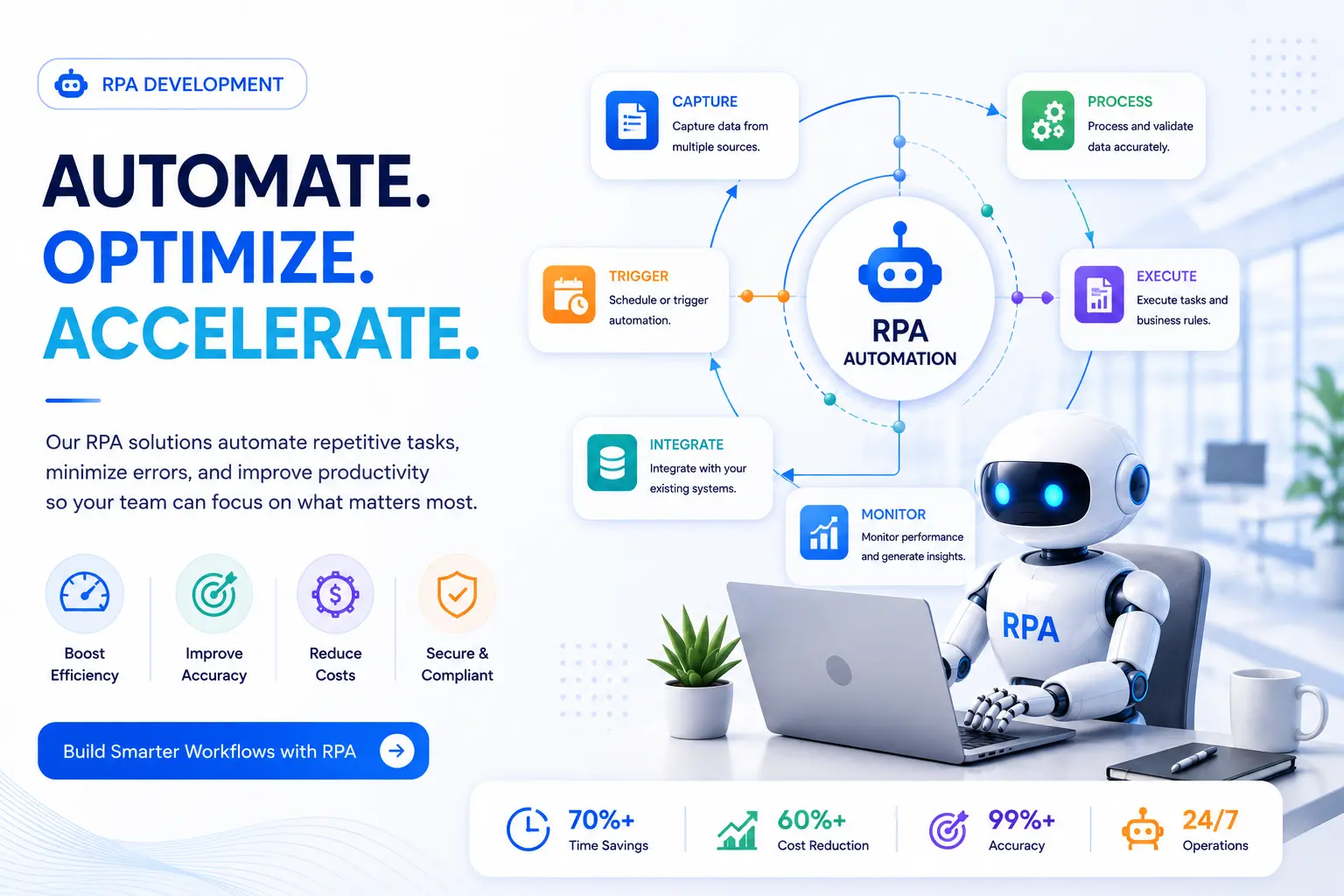
Here's exactly how an RPA development project runs with Hyper Software, start to finish.
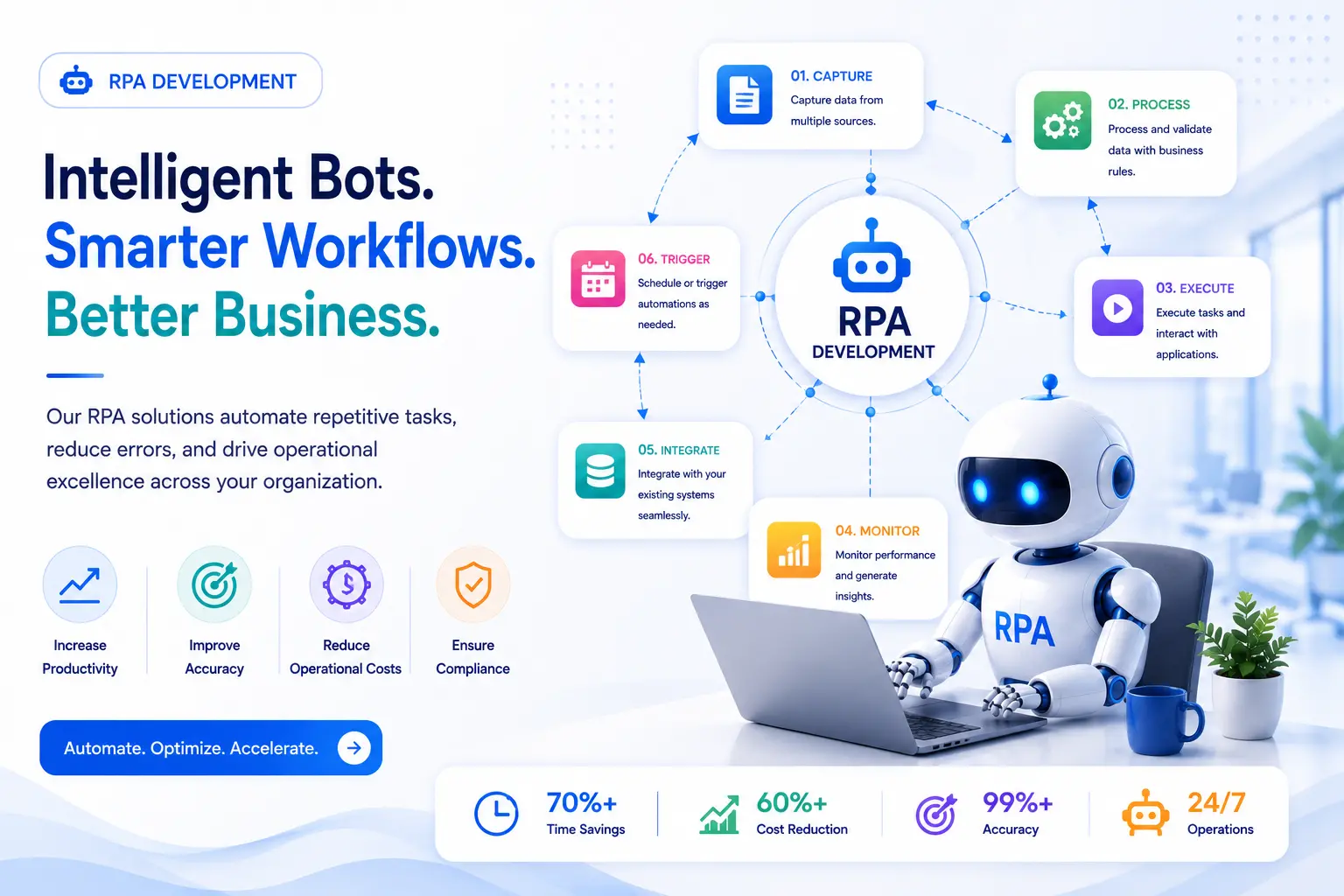
Step 1: Discovery & Process Assessment We interview the people who actually do the work, not just their managers, to map every step, exception, and workaround in the process. This becomes a Process Definition Document (PDD), which is the blueprint for everything that follows.
Step 2: Solution Design We turn the PDD into a technical design: which application the bot interacts with, how it handles errors, where it logs activity, and what triggers it to run.
Step 3: Bot Development Our developers build the bot on the chosen platform, following coding and naming standards so the bot is maintainable later, not just functional today.
Step 4: Testing The bot runs in a controlled test environment against real (but safe) data. We deliberately throw exceptions at it, missing fields, unexpected pop-ups, slow-loading pages, to see how it handles the messy reality of production systems.
Step 5: Deployment Once testing passes, the bot goes live. We usually start with a limited rollout in one department before expanding, so any issues surface on a small scale first.
Step 6: Monitoring & Support We track bot performance, error rates, and processing times after go-live, and adjust the bot when the systems it depends on change.
A single, well-scoped process typically takes 4 to 8 weeks from discovery to deployment. Multi-process enterprise rollouts run longer, often 3 to 6 months, because they involve more integration points and more stakeholders to align.
RPA development isn't one-size-fits-all. The processes worth automating look different by industry:
A mid-size logistics client came to us with a simple but painful problem: three employees spent close to four hours a day, combined, manually entering shipment data from CMR notes into their internal tracking system. Errors were common, and the backlog grew every time volume spiked.
We started with a two-week discovery phase and found the process was almost entirely rule-based, just tedious and repetitive. We built an unattended RPA bot using UiPath that read incoming CMR documents, extracted the required fields, cross-checked them against existing database records, and flagged only the genuine mismatches for a human to review.
Within six weeks of going live, the client's data entry team went from processing around 800 orders manually to reviewing only the exceptions the bot couldn't confidently resolve, roughly 8% of total volume. Processing time per order dropped from several minutes to under 30 seconds, and the team redirected their freed-up hours toward customer service instead of data entry.
Here's what RPA development actually costs, broken into real ranges instead of a vague "contact us for pricing."
|
Project Tier |
What's Included |
Typical Cost Range |
|
Basic (single process) |
One attended or unattended bot automating one |
$5,000 – |
|
straightforward, rule-based task |
$20,000 |
|
|
Mid-range (multiple |
Several interconnected bots across one or two |
$20,000 – |
|
processes) |
departments, with integration work |
$75,000 |
|
Enterprise (multi- |
Complex, multi-system automation with AI/OCR |
$75,000 – |
|
department rollout) |
components and full governance |
$150,000+ |
What actually drives the cost:
One honest note: developer rates vary a lot by region. US-based RPA developers typically charge $75–$200 an hour. Working with an experienced offshore team, like ours in Jaipur, usually brings that down by 40–60% without a drop in quality, since our developers hold the same platform certifications global agencies require.
Should you build RPA in-house or bring in a partner? It depends on what you're automating and how much internal capacity you have.
Doing it yourself makes sense when:
What can go wrong doing it alone:
Hiring an RPA development company makes sense when:
Cost comparison: building in-house often looks cheaper on paper because you're not paying an agency fee, but factor in the platform training time, the cost of a bot built wrong the first time, and the ongoing maintenance burden once the person who built it moves to another project. For a single simple task, DIY can work. For anything touching more than one system or more than one department, an experienced RPA development company almost always pays for itself faster.
Yes. RPA bots interact with the user interface the same way a person does, so they can automate old desktop applications without needing newAPIs or system upgrades.
Attended bots run on an employee's computer and assist them in real time during a task. Unattended bots run independently, usually on a schedule or trigger, without needing a person present.
No. Traditional RPA follows fixed, rule-based logic. When combined with AI (like OCR or machine learning), it becomes intelligent automation, capable of handling unstructured data like scanned documents or free-text emails.
Most RPA platforms are low-code, so simple bots can be built with minimal coding. Complex, multi-system automation still benefits from experienced developers who understand exception handling and integration.
The bot can break or behave unexpectedly if the interface it interacts with changes. This is why ongoing monitoring and maintenance are part of a properly run RPA program, not an afterthought.
Small businesses can absolutely use RPA. A single attended bot automating one time-consuming task, like invoice data entry, can deliver real ROI on a modest budget.
Finance, insurance, healthcare, retail, HR, and manufacturing see some of the fastest returns, since these industries have high volumes of repetitive, rule-based digital work.
ROI is typically measured by comparing the hours and error-correction costs saved against the total cost of development, licensing, and maintenance. Most businesses see positive ROI within 6 to 18 months.
For a single simple process, in-house automation using a low-code tool can work. For multi-system automation, sensitive data, or a tight timeline, an experienced RPA development company typically delivers faster and with fewer costly mistakes.
Yes. Hyper Software works with clients globally, offering the same quality of RPA development at a cost advantage compared to US, UK, and Western European agencies.
Benefits:
Drawbacks (and how we handle them):
Hyper Software has been building digital solutions since 2020, from custom software and mobile apps to CRM, ERP, and business process automation, for clients across India and internationally. RPA development sits naturally alongside that work: we already understand how businesses' existing systems are built, because in many cases, we built them.
What that means for you:
Ready to see which of your processes are worth automating? Get a free RPA consultation or call us directly at +91 9079282750.
RPA development is the process of designing, building, and deploying software bots that automate repetitive, rule-based digital tasks by mimicking the exact steps a human would take inside existing applications.
Costs typically range from $5,000 for a single simple bot to $150,000 or more for a multi-process enterprise rollout, with licensing usually making up only 25–30% of the total cost.
A single, well-scoped process usually takes 4 to 8 weeks from discovery to deployment. Larger, multi-process enterprise rollouts can take 3 to 6 months.v
There's no single best tool; it depends on your systems. UiPath suits enterprises wanting rich features, PowerAutomate suits Microsoft-heavy environments, Blue Prism suits regulated industries needing strict governance, and Automation Anywhere suits businesses wanting consumption-based pricing.
Start with tasks that are high-volume, rule-based, stable (not frequently changing), and currently done manually. Invoice processing, data entry, and report generation are common first candidates.
Have questions or need expert guidance? Our team is ready to help you with the right technology solutions for your business.