Hyper Software ne hamare business ko online ek nayi pehchan di. Website professional, fast aur SEO optimized hai. Website Design & Development ke liye best company.

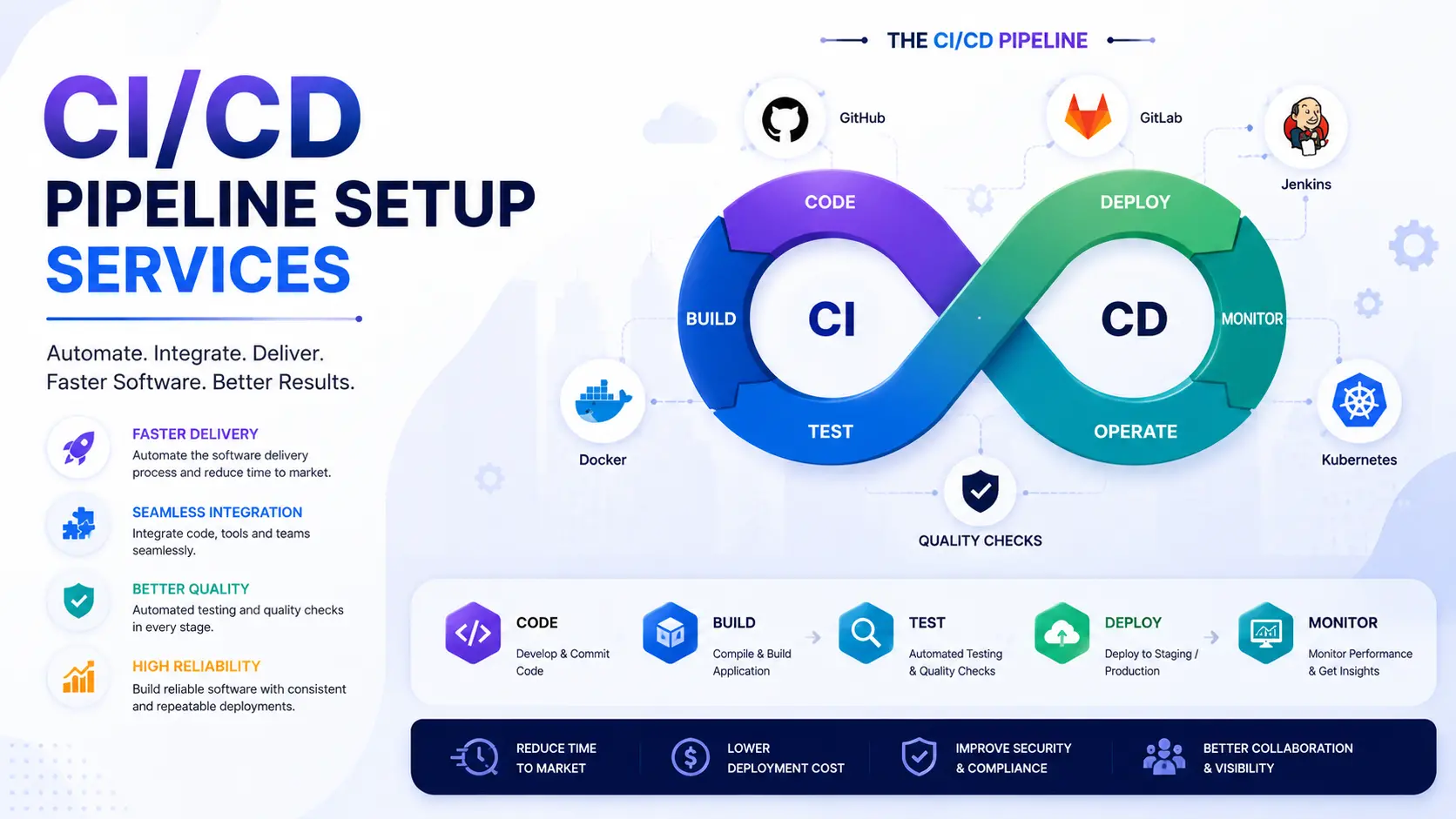
If your team is still deploying code by hand, checking off a manual checklist, and crossing fingers before every release, a CI/CD pipeline fixes that. CI/CD pipeline setup means building an automated system that takes your code from commit to production: building it, testing it, and deploying it, without someone babysitting the process every time. Done right, it cuts release time from hours to minutes and catches bugs before they reach your users.
Hyper Software has been setting up CI/CD pipelines for teams across India, the US, the UK, and the Middle East since 2020. We work with whatever stack you're already using, not the other way round.
CI/CD stands for Continuous Integration and Continuous Deployment (sometimes Continuous Delivery). Continuous Integration means every code change gets
automatically built and tested the moment it's pushed. Continuous Deployment means code that passes those tests gets automatically released, whether that's to a staging server or straight to production.
A CI/CD pipeline is the automated workflow that makes this happen. Think of it as an assembly line for your code: commit goes in one end, a tested, deployed application comes
out the other. No manual copy-pasting files to a server. No "it worked on my machine"
surprises.
Get Free Consultation Within Minutes
Here's the honest version, not the sales pitch. Without CI/CD, every release depends on a person remembering every step correctly, every time. That works fine until it doesn't, usually at 11 PM on a Friday when someone forgets to run migrations before deploying.
With a proper pipeline in place, your team gets:
You probably don't need us to tell you this, but here's what we hear from almost every client before they call us:
If two or more of these sound familiar, your release process is already costing you more than a CI/CD setup would.
We don't drop a generic template on your repo and call it done. Every pipeline we build is shaped around your actual stack, team size, and release goals.
Step 1: Assessment and Tool Selection
We look at your current codebase, hosting environment, and team workflow. Then we recommend tools based on what fits, not what's trendy. A small team on GitHub usually does better with GitHub Actions than a heavyweight Jenkins setup.
Step 2: Version Control and Branching Strategy
We set up or clean up your branching model (GitFlow, trunk-based, or a simpler variant), so code moves through review and merge in a predictable way.
Step 3: Build Automation
We configure automated builds that trigger on every push, catching compile errors and dependency issues immediately instead of at deploy time.
Step 4: Automated Testing Integration
Unit tests, integration tests, and where relevant, end-to-end tests get wired into the pipeline so nothing merges without passing checks.
Step 5: Deployment Automation
We build the deployment stage for your actual environments (dev, staging, production),including strategies like blue-green or canary releases where they make sense for your traffic patterns.
Step 6: Monitoring, Alerts, and Handover
We set up pipeline monitoring and failure alerts, then document everything and train your team so you're not dependent on us to make a small change later.
Hyper Software ne hamare business ko online ek nayi pehchan di. Website professional, fast aur SEO optimized hai. Website Design & Development ke liye best company.

| Tool | Best For |
| Jenkins | Teams needing deep customization and self-hosted control |
| GitHub Actions | Teams already on GitHub wanting a quick, native setup |
| GitLab CI/CD | Teams using GitLab who want CI/CD built into the same platform |
| CircleCI | Teams wanting a fast, cloud-based setup with minimal maintenance |
| Azure DevOps | Enterprises already invested in the Microsoft ecosystem |
| AWS CodePipeline | Teams fully hosted on AWS wanting native integration |
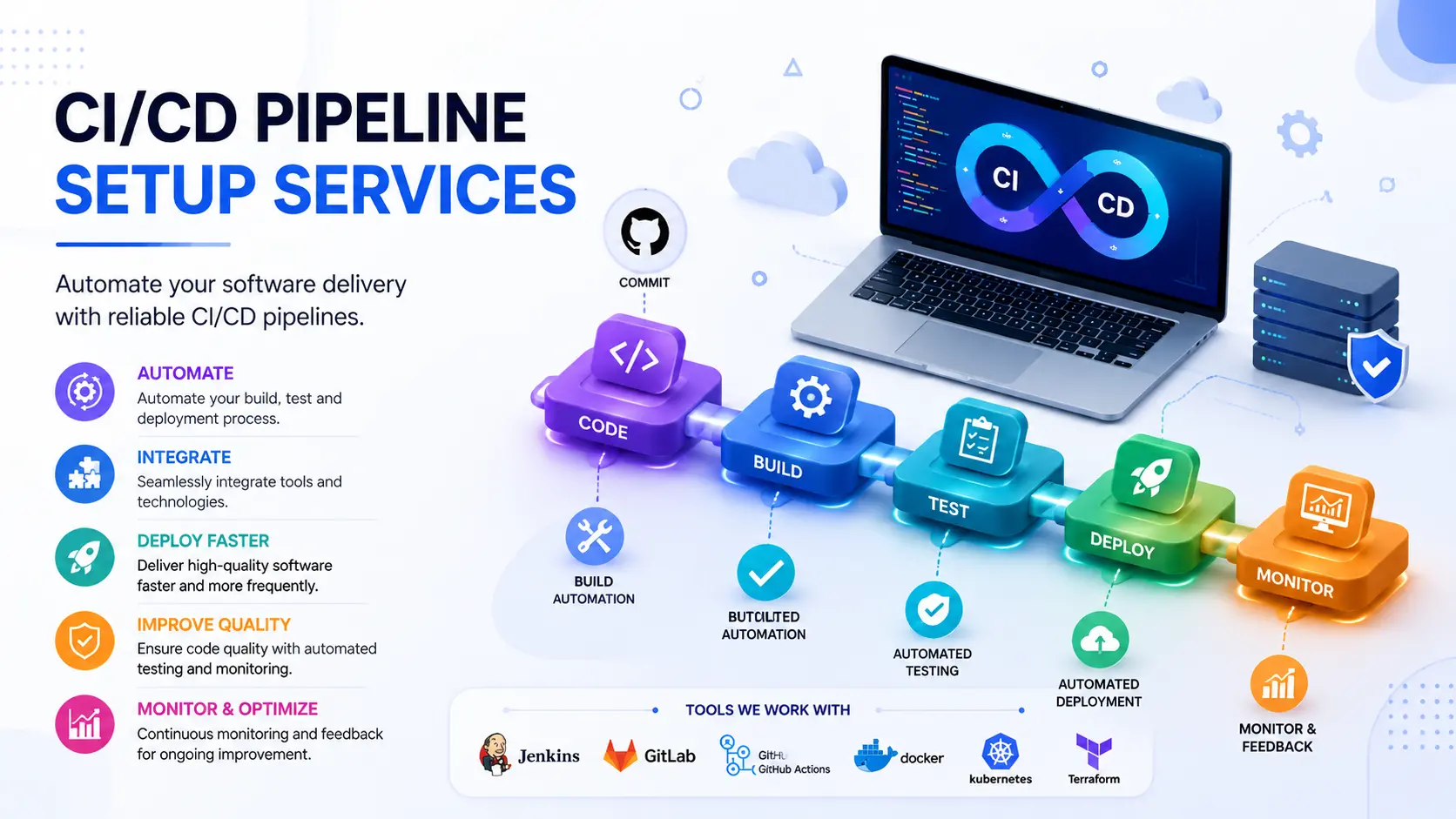
We also work with Docker deployment, Kubernetes management, Terraform, and GitOps tools like ArgoCD and Flux when infrastructure automation is part of the scope.
This is the question almost every client asks us first, so let's answer it straight.
|
Factor |
Doing It Yourself |
Hiring an Agency (like Hyper Software) |
|
Best for |
Teams with an experienced in-house |
Teams without dedicated DevOps |
|
DevOps consulting engineer and time to spare |
staff, or who need it done fast |
|
|
Time |
Weeks ofinternal engineering time, often |
1–6 weeks, handled in parallel with |
|
investment |
longer than expected |
your team's regular work |
|
Cost |
"Free" in cash terms, but expensive in |
Fixed project cost, usually |
|
engineer hours diverted from product work |
recovered in saved engineering |
|
|
time within a few months |
||
|
Risk of |
Higher, especially around security |
Lower, since the setup follows |
|
mistakes |
scanning and rollback strategy, since these |
patterns tested across many client |
|
are easy to skip when learning as you go |
environments |
|
|
Ongoing |
Depends entirely on whoever built it |
Documentation, training, and |
|
support |
staying at the company |
optional maintenance packages |
|
included |
||
|
What can go |
Missed security checks, pipelines that work |
Minimal, since the provider carries |
|
wrong alone |
until an edge case breaks them, no one able |
the responsibility and know-how |
|
to fix it when the original builder leaves |
If you have a strong DevOps engineer already and the bandwidth to dedicate a few weeks, DIY can work well. If you don't, or you'd rather your engineers spend that time building your product instead, hiring a specialist usually pays for itself quickly
| Project Type | Typical Timeline |
| Simple app, single environment, small team | 1–2 weeks |
| Standard web app with dev/staging/production | 2–4 weeks |
| Microservices architecture, multiple environments | 4–8 weeks |
| Enterprise-scale, multi-cloud, complex compliance needs | 8–12 weeks or more |
Timelines vary based on how much of your existing setup needs to be untangled first. A messy legacy deployment process usually adds time before the new pipeline can even start.
Pricing depends on scope, not just team size. Here's a realistic range for global clients:
|
Scope |
Approximate Cost (USD) |
Approximate Cost (INR) |
|
Basic single-environment pipeline |
$500 – $2,000 |
₹40,000 – ₹1,60,000 |
|
Standard multi-environment setup |
$2,000 – $6,000 |
₹1,60,000 – ₹5,00,000 |
|
Complex, microservices or multi-cloud setup |
$6,000 – $15,000+ |
₹5,00,000 – ₹8,00,000+ |
|
Ongoing monitoring and |
Usually 10–15% ofsetup cost, |
Same, billed monthly |
|
maintenance |
monthly |
These are typical ranges, not a quote. Your exact cost depends on your stack, number of environments, and testing requirements. We give exact numbers after a short discovery call, not before.
We've fixed enough broken pipelines to know where teams go wrong the first time:
CI/CD pipeline setup is the process of configuring an automated system that builds, tests, and deploys your application code every time a change is made. It replaces manual deployment steps with a consistent, repeatable workflow.
A basic pipeline for a small team typically takes 1–2 weeks. Complex, multi-environment or microservices setups can take 4– 12 weeks depending on how much of the existing process needs to be reworked first.
Costs generally range from $500 for a basic single-environment pipeline to $15,000 or more for complex, multi-cloud setups. Ongoing maintenance usually runs 10–15% of the setup cost per month.
Common tools include Jenkins, GitHub Actions, GitLab CI/CD, CircleCI, Azure DevOps, and AWS CodePipeline. The right choice depends on your existing source control platform and cloud provider.
If you're a solo developer on a side project, a full pipeline may be overkill. Once you have a team of two or more people deploying regularly, a basic pipeline usually saves more time than it costs to set up.
Continuous integration means code changes are automatically built and tested as soon as they're committed. Continuous deployment goes a step further and automatically releases code that passes those tests, without manual approval at every step.
Yes. CI/CD pipelines can be configured forAndroid, iOS, and cross-platform apps, automating builds, testing, and even app store submissions in some cases.
Neither is universally better. Jenkins offers more customization and works well for complex, self-hosted setups. GitHub Actions is faster to configure if your code already lives on GitHub and your needs are more standard.
A rollback strategy lets you quickly revert to a previous, stable version of your application if a new deployment causes problems. Pipelines without this can leave broken code live for hours while a team scrambles to fix it manually.
DevSecOps means building security checks directly into the CI/CD pipeline, such as vulnerability scanning and secrets detection, instead of treating security as a separate step after deployment. It catches issues earlier, when they're cheaper and safer to fix.
A mid-size fintech client came to us with a familiar problem. Their team of 12 developers was deploying manually every Thursday afternoon, and it regularly slipped to Friday evening when something didn't go as planned. Two production incidents in three months had been traced back to steps someone forgot during manual deployment.
We spent the first week mapping their existing process and picking GitLab CI/CD, since they were already using GitLab for source control. Over the next three weeks, we built automated testing into every merge request, set up staging and production environments that mirrored each other exactly, and added a one-click rollback option.
Six months later, that team was deploying multiple times a day instead of once a week, with zero deployment-related incidents since launch. Their lead engineer told us the biggest change wasn't the speed. It was that nobody dreaded Friday afternoons anymore.
Benefits:
Drawbacks (and how we handle them):
A pipeline that deploys fast but skips security checks just ships problems faster. We build security scanning directly into the pipeline: dependency vulnerability checks, static code analysis, and secrets detection, so issues get flagged before code reaches production, not after a breach. This approach follows established frameworks like the NIST Secure Software Development Framework and OWASP's DevSecOps guidance, adapted to fit inside your existing pipeline rather than added as a separate, ignorable step.
Hyper Software is a Jaipur-based IT solutions company, founded in 2020, working with clients across India and internationally. We don't push a one-size-fits-all pipeline. We look at your stack, your team, and your goals, then build something that fits. Beyond CI/CD, we also handle custom software development, mobile apps, ERP and CRM systems, and cloud migration, so your pipeline setup fits into a bigger picture if you need it to. Call us at +91 9079282750 or visit www.hypersoftware.in for a free consultation on your CI/CD pipeline setup.
Yes. Most CI/CD projects start with an existing manual process. The setup typically begins by mapping the current steps, then automating them one at a time rather than replacing everything at once.
A poorly built pipeline can fail silently, deploy broken code, or skip important checks like testing and security scans. This is why pipeline monitoring and clear ownership matter as much as the initial setup.
Yes, in almost all cases. Testing changes in an environment that mirrors production catches problems before they affect real users, which is one of the core benefits of a proper CI/CD setup.
A pipeline should be reviewed whenever your stack changes significantly, or at least every few months, to check build speed, security scanning coverage, and whether new tools would serve the team better.
Yes. Hyper Software works with clients across India, the US, the UK, Australia, and the Middle East, delivering CI/CD pipeline setup remotely regardless of location.
Have questions or need expert guidance? Our team is ready to help you with the right technology solutions for your business.