
Hyper Software ne hamare business ko online ek nayi pehchan di. Website professional, fast aur SEO optimized hai. Website Design & Development ke liye best company.

If you're reading this, you're probably deciding one of two things: whether to move your business onto Google Cloud, or who should do it for you. Either way, you don't need more marketing fluff. You need real numbers, a real process, and an honest answer on whether you should do this yourself or hire someone.
Google Cloud Services are the cloud computing tools Google offers under Google Cloud Platform (GCP) — servers, storage, databases, networking, AI, and security — that let a business run its website, app, or data operations without buying and maintaining physical hardware. You pay for what you use, and you scale up or down as your traffic and data change.
Let's get into what's actually in the box, what it costs in 2026, and how to get it set up without wasting money on things you don't need.
Google Cloud Platform runs on the same global infrastructure automation that powers Google Search, YouTube, and Gmail. When you use Google Cloud Services, your business is renting a slice of that infrastructure — computing power, storage space, databases, and networking — instead of buying your own servers.
In plain terms: instead of keeping a physical server in an office (which needs power, cooling, security, and someone to fix it when it breaks), your data and applications live on Google's servers across the world. You access everything through a web dashboard or command-line tools, and you're billed monthly for exactly what you used.
GCP was launched in 2011 and today competes directly with Amazon Web Services (AWS) and Microsoft Azure as one of the three major global cloud providers.
Get Free Consultation Within Minutes
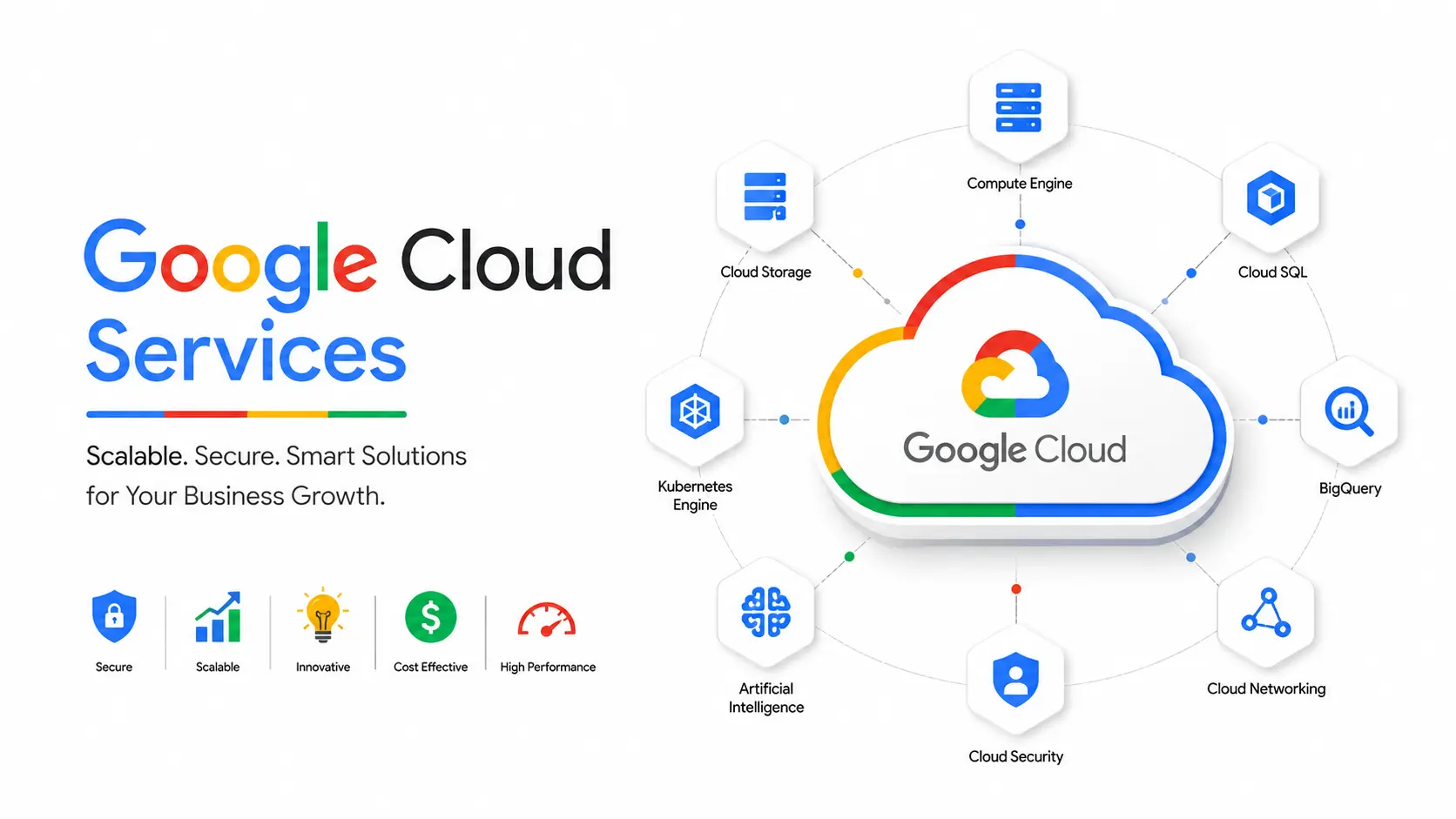
Google Cloud isn't one product — it's a collection of over 100 services grouped into categories. Here are the ones that matter for most businesses:
Compute
Storage & Databases
Networking
AI & Machine Learning
Security & Identity
Most businesses only need a handful of these — usually Compute Engine or Cloud Run, Cloud Storage, a database, and basic networking. The mistake we see most often is businesses (or their previous developer) turning on services they never use, which quietly inflates the monthly bill.
Google Cloud Pricing in 2026:What You Actually Pay This is the part most agency pages skip, or they just say "affordable" and move on. Here's
what real 2026 pricing looks like.
Google Cloud runs on pay-as-you-go billing, per-second for compute and per-GB for storage, with no flat subscription fee. There's also an Always Free tier that covers limited usage of Compute Engine, Cloud Storage, and BigQuery — enough for a small test project, not a production business site.
|
Service |
2026 Starting Rate |
Typical Small Business Monthly Cost |
|
Compute Engine (e2-micro) |
~$0.028/hour |
$20–$30/month |
|
Compute Engine (e2- |
~$0.112/hour |
$75–$90/month |
|
medium) |
||
|
Cloud Storage (Standard) |
$0.020–$0.023/GB- |
$2–$10/month for 100–500GB |
|
month |
||
|
Cloud SQL (small instance) |
From ~$50/month |
$50–$200/month depending on size |
|
Data egress (outbound traffic) |
$0.08–$0.12/GB (tiered) |
$10–$50/month for moderate traffic |
|
BigQuery (on-demand queries) |
$6.25 per TiB scanned |
First 1 TiB/month free |
A small business site with moderate traffic (a few thousand visitors a month, one database, daily backups) typically lands between $40 and $150 per month. A mid-sized e-commerce store or SaaS app with a database, load balancing, and CDN usually runs $300 to $1,500 per month. Enterprise workloads with dedicated support and committed-use contracts can go into five figures monthly — but at that scale, businesses also unlock Committed Use Discounts (up to 70% off) and Sustained Use Discounts (20–30% automatic), which meaningfully reduce the effective rate.
What inflates the bill without warning: data egress charges (moving data out of Google Cloud costs money, moving it in doesn't), attached persistent disks and static IPs that aren't included in the base compute rate, and cold-storage tiers that look cheap per GB but charge extra every time you actually retrieve that data.
Rates change, so always confirm current numbers on Google's own pricing page before budgeting a large project.
Hyper Software ne hamare business ko online ek nayi pehchan di. Website professional, fast aur SEO optimized hai. Website Design & Development ke liye best company.

Every business asks this eventually. There's no single "best" cloud — it depends on what you're building.
|
Factor |
Google Cloud |
AWS |
Azure |
|
Best for |
AI/ML, data analytics, cost- |
Enterprises needing |
Businesses already using |
|
conscious startups |
the widest service |
Microsoft tools |
|
|
range |
|||
|
Pricing |
Generally most competitive for compute- |
Most flexible discount options, but complex |
Competitive, especially bundled with Microsoft 365 |
|
heavy workloads |
|||
|
Ease ofuse |
Clean, simple console; |
Powerful but steeper |
Familiar ifyou already use |
|
connects to your Google |
learning curve |
Windows/Office tools |
|
|
account |
|||
|
Standout |
BigQuery, Vertex AI, data |
Largest service catalog, |
Hybrid cloud, Active |
|
strength |
analytics |
most mature |
Directory integration |
|
ecosystem |
|||
|
Weakness |
Fewer total services than |
Pricing can get |
Can feel locked into the |
|
AWS |
complex and expensive |
Microsoft ecosystem |
|
|
at scale |
If your business is data- orAI-heavy, or you want the simplest console to manage, Goo gle Cloud is usually the better starting point. If you're a large enterprise needing every possible tool AWS has built over 15+ years, AWS still wins on raw breadth. If your company runs on Microsoft 365 and Windows Server already, Azure's integration advantage is real.
This is the section most agency pages skip entirely — because being honest about it doesn't always favor "hire us." We'll give it to you straight.
Doing it yourself makes sense when:
What typically goes wrong doing it alone:
Hiring a Google Cloud partner makes sense when:
Cost comparison: DIY has no direct setup fee, but the hidden cost is time (usually 20–60+ hours for a first-time setup) and the real risk of an oversized bill or a security incident. A managed setup with a partner typically costs a one-time project fee plus an optional monthly management retainer, but it comes with cost optimization from day one — which,
for most businesses, pays for itself within the first few months through avoided over- provisioning alone.
Services? Google Cloud Services are the cloud computing tools offered through Google Cloud Platform, covering compute, storage, databases, networking, AI, and security. Businesses use them to host applications and data without owning physical servers.
Pricing is pay-as-you-go and depends entirely on usage. Small businesses typically pay $40–$150/month, while larger applications with databases and CDN can run $300–$1,500/month or more.
For compute-heavy and AI/analytics workloads, Google Cloud is often cheaper. For very large enterprises needing niche services, AWS's broader catalog and discount flexibility can sometimes work out more cost-effective overall.
It's a set of limited, always-free resources — including a small Compute Engine instance and capped BigQuery and Cloud Storage usage — meant for testing and small projects, not production business traffic.
Most business websites and applications migrate in 2 to 6 weeks. Larger, more complex systems can take 2–3 months depending on integrations and data volume.
Yes. Cross-cloud migration is common and follows the same assessment-and-migrate process, though it requires mapping equivalent services (for example, AWS S3 to Google Cloud Storage) before the move.
GKE runs containerized applications at scale, automatically managing how those containers are deployed, scaled, and kept running across Google's infrastructure.
Data is encrypted both at rest and in transit by default, and Identity and Access Management (IAM) lets you control exactly who can access which resources.
A solo developer with cloud experience can self-manage a small project. Most growing businesses hire a partner to avoid over-provisioning, security misconfigurations, and unplanned egress costs.
for? BigQuery is Google Cloud's data warehouse tool, built for running fast analytical queries across very large datasets — commonly used for business reporting and analytics.
1. Assessment. We review your current setup (existing servers, database, traffic patterns, dependencies) and identify what needs to move and what can be
modernized in the process.
2. Architecture planning. We design the target GCP setup — which compute option, which database, what security and backup structure — sized to your actual usage, not guesswork.
3. Test migration. A staging environment is set up on GCP first. This is where issues get caught before they touch your live users.
4. Data and application migration. Data is transferred, applications are deployed, and DNS is prepared for cutover — scheduled during low-traffic hours to minimize
disruption.
5. Go-live and monitoring. Traffic is switched over, and the environment is monitored closely for the first 48–72 hours to catch anything unexpected.
6. Optimization. After go-live, we review actual usage for two to four weeks and right- size resources — this is usually where 15–25% of cost savings comes from.
For a typical business website or mid-sized application, this process takes 2 to 6 weeks. Larger, more complex systems with multiple integrations can take 2–3 months. Anyone promising a same-day full cloud migration services for a live production system is skipping steps that usually come back to bite you later.
Choosing the wrong machine type and paying for capacity that's never used.
Skipping committed use discounts on workloads that run 24/7, leaving 20–70% in savings on the table.
No egress cost planning, especially for media-heavy or multi-region businesses.
Treating cold storage tiers as "set and forget" without accounting for retrieval fees on data accessed more often than expected.
No IAM structure, giving every team member full admin access instead of only what their role needs.
No monitoring or budget alerts, so cost overruns are discovered only when the invoice arrives.
A mid-sized e-commerce business came to us running their store on a shared hosting plan that crashed twice during their previous festive sale, losing them real revenue during their highest-traffic days of the year. They'd looked at Google Cloud themselves but got stuck comparing machine types and were worried about the migration breaking their live store.
We started with a full assessment of their traffic patterns and database load, then built a GCP architecture using Compute Engine with auto-scaling, Cloud SQL for the database, and Cloud CDN for their product images. We ran the full setup in a staging environment first, migrated their data overnight during their lowest-traffic window, and tested everything before pointing their domain to the new infrastructure.
The result: zero downtime during the switch, and when their next big sale hit, the store scaled automatically instead of crashing — handling several times their normal traffic without a single outage. Their hosting cost also came down slightly compared to their old shared hosting plan, once we right-sized the setup after the first month of real usage data.
Hyper Software has been helping businesses with technology since 2020, based in Jaipur, Rajasthan, and working with clients globally. Cloud setup and migration is one part of a broader technical capability that includes custom software, web and mobile app development, and business automation — which means the cloud architecture we build for you is designed by people who also build the applications that run on it, not a team that only understands infrastructure in isolation.
We handle the full cycle: assessment, migration, security configuration, and ongoing management, so you're not left managing a console you've never used before. If something breaks at 2 AM, you're not the one googling error codes. Ready to move to Google Cloud without the guesswork? Call us at +91 9079282750 or visit
hypersoftware.in for a free consultation.
You can set budget alerts and quotas in advance to get notified or automatically cap usage before costs run away — something a managed setup configures from day one.
Yes, GCP integrates directly with Google Workspace (Gmail, Drive, Docs), which is a natural advantage for teams already using those tools daily.
It's a Google Cloud pricing program where you commit to using a certain amount of compute for 1 or 3 years in exchange for a discount of up to 70% compared to on-demand pricing.
Yes — with auto-scaling compute, a managed database, and a CDN for product images, Google Cloud handles traffic spikes during sales far better than typical shared hosting.
Have questions or need expert guidance? Our team is ready to help you with the right technology solutions for your business.