
Business website bilkul premium quality ki bani hai. Mobile responsive design aur clean layout ki wajah se customer experience bahut achha ho gaya. Highly recommended.

If your app runs fine on your laptop but breaks the moment it hits a real server, you don't have a coding problem. You have a deployment problem. Docker deployment solves this by packaging your application and everything it needs into a container that runs the same way everywhere — your machine, a staging server, or production. Hyper Software builds and manages Docker deployments for businesses worldwide, so your app goes live once and stays live.
Docker deployment is the process of taking an application, packaging it inside a Docker container along with its dependencies, and running that container reliably on a server or cloud platform. The container includes the code, the runtime, system libraries, and configuration files, so the app behaves the same no matter where it's running.
Here's the part most tutorials skip: building a Docker image is easy. Deploying it in a way that survives a server restart, a traffic spike, or a bad code push is where most teams get stuck. That's the actual work behind "Docker deployment," and it's usually where outside help pays for itself.
A quick way to think about it: Docker is the packaging. Deployment is getting that package to run, stay running, and update safely, in a live environment with real users on it.
Get Free Consultation Within Minutes
At a high level, every Docker deployment follows the same core stages, whether it's a simple blog or a full microservices platform.
1. Write the Dockerfile. This file tells Docker exactly how to build your app's image — base OS, dependencies, environment variables, and startup command.
2. Build the image. Running docker build turns that Dockerfile into a portable image that can run anywhere Docker is installed.
3. Test locally. Run the container locally with docker run (or docker compose up for multi-service apps) to confirm it behaves as expected.
4. Push to a registry. The image is pushed to Docker Hub, AWS ECR, Azure Container Registry, or a private registry so it can be pulled by your servers.
5. Deploy to the target environment. The image is pulled and run on a VPS, cloud migration services (AWS ECS, Azure ContainerApps, Google Cloud Run), or a Kubernetes cluster for larger systems.
6. Set up networking, storage, and secrets. Ports, volumes for persistent data, and environment secrets need to be configured correctly, or the app either won't start or won't survive a restart.
7. Automate it. A CI/CD pipeline (GitHub Actions, GitLab CI, Jenkins) rebuilds and redeploys the image automatically every time you push new code.
8. Monitor and roll back. Logging, health checks, and a tested rollback plan are what separate a stable deployment from one that goes down at 2 AM with nobody watching.
Skip any of the last three steps and the deployment usually still "works" — right up until it doesn't.
Hyper Software handles the full Docker deployment lifecycle, not just the initial setup.
Here's what's included:
Plenty of developers deploy Docker themselves, and for a personal project or an early-stage MVP, that's a reasonable call. The question changes once real users, real revenue, or sensitive data are involved.
|
Factor |
Doing It Yourself |
Hiring a Deployment Team |
|
Best for |
Personal projects, learning, small MVPs |
Live products, client-facing apps, |
|
growing businesses |
||
|
Time investment |
Days to weeks oftrial and error |
Usually live within days, handled in |
|
parallel with your own work |
||
|
Security |
Easy to miss (root containers, exposed |
Hardened by default, following |
|
ports, no secrets management) |
current best practices |
|
|
Downtime risk |
Higher — no tested rollback plan |
Lower — rollback and monitoring built in from day one |
|
Ongoing |
Falls on you or your dev team |
Handled as part ofthe service |
|
maintenance |
||
|
Typical cost |
"Free" but costs real hours, and |
A defined project cost, scoped to |
|
mistakes cost more |
your app |
What usually goes wrong when teams deploy Docker alone: containers running as root, no resource limits (so one container can crash the whole server), secrets hardcoded into theimage, and no real plan for what happens when a deployment fails halfway through. None of these show up in testing. They show up in production, usually at the worst possible time.
If you're a solo developer with time to learn, DIY makes sense. If you have a business depending on uptime, it's worth having someone who's done this before set it up right the first time.
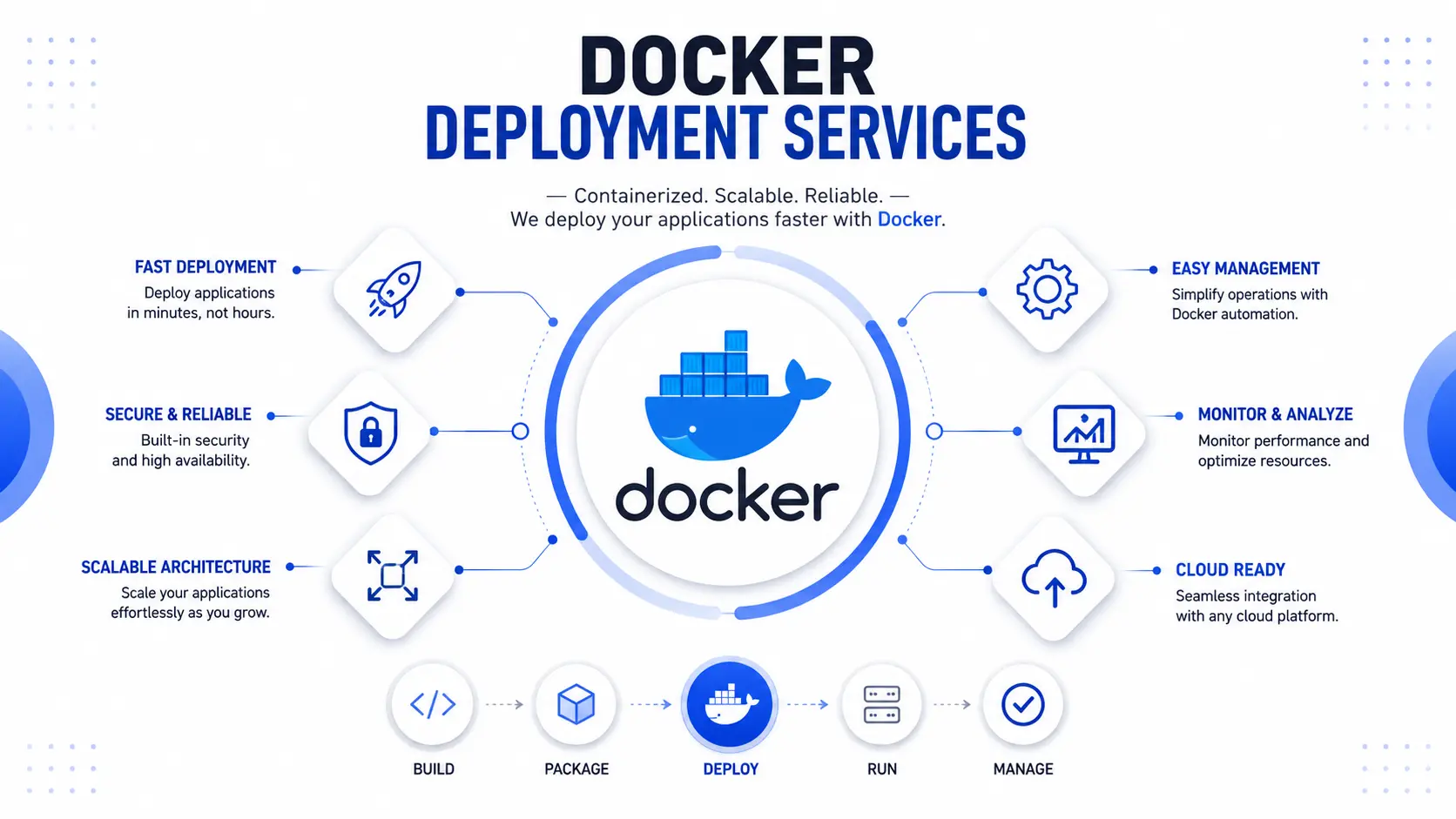
1. Discovery call. We look at your current codebase, hosting setup, and what "done" looks like for you.
2. Architecture plan. We map out the container management structure, hosting environment, and CI/CD flow before touching anything live.
3. Build and test. Dockerfiles and Compose configs are built and tested in a staging environment first, never directly in production.
4. Go-live. We deploy with a rollback plan in place, so if anything looks wrong, we can revert in minutes, not hours.
5. Handover or ongoing support. You get documentation and access to everything, plus the option of ongoing monitoring and support if you'd rather not manage it yourself.
There's no single fixed price for Docker deployment, and any agency that quotes one without seeing your app first is guessing. What actually changes the cost:
As a rough guide, a straightforward single-app deployment is usually a matter of days, while a multi-service production architecture with CI/CD and monitoring typically takes one to two weeks. Exact costs vary by project scope — we quote after a short discovery call rather than guessing blind, and you can request a free consultation through our contact page.
We've fixed enough broken deployments to know the pattern. The same handful of mistakes cause most of the trouble:
Docker deployment is the process of packaging an application into a Docker container and running it reliably in a server or cloud environment, so it behaves consistently everywhere.
It works by building a Docker image from a Dockerfile, pushing that image to a registry, then pulling and running it on the target server or cloud platform, often automated through a CI/CD pipeline.
Installation sets up Docker itself on a machine. Deployment is what happens after — packaging and running your specific application inside containers on that machine.
It can be, if configured correctly. Security depends on using non-root containers, managing secrets properly, scanning images for vulnerabilities, and keeping base images updated.
Docker Compose lets you define and run multiple containers together, like a web app, database, and cache, using a single configuration file instead of managing each container separately.
Yes. Docker runs on any server with Docker Engine installed, including standard VPS providers, without needing a full cloud platform.
AWS, Microsoft Azure, Google Cloud, and DigitalOcean all support Docker deployment through dedicated container services or standard virtual machines.
Costs vary based on app complexity, number of services, hosting choice, and whether ongoing support is included. A discovery call is the fastest way to get an accurate figure.
With a proper rollback plan in place, a failed deployment can be reverted to the last stable version within minutes. Without one, it can mean extended downtime.
Not always, but for production apps with real users, having someone experienced set it up correctly reduces the risk of downtime and security gaps significantly.
Use multi-stage builds to keep production images small and fast to pull.
Hyper Software has deployed Docker-based applications for SaaS platforms, eCommerce stores, CRM and ERP systems, fintech applications, healthcare software, and custom internal business tools. Whatever the industry, the same core discipline applies: consistent environments, tested rollbacks, and monitoring that actually gets watched.
A client running a growing eCommerce platform came to us after their app kept crashing during traffic spikes around sales events. Their setup was a single Docker container running everything — web server, database, and background jobs — with no resource limits and no monitoring in place. Every time traffic jumped, the whole container would run out of memory and take the site down with it.
We rebuilt their setup using Docker Compose, splitting the database and background workers into separate containers with defined resource limits. We added a CI/CD pipeline so deployments no longer required manual server access, set up centralized logging, and configured automated health checks with restart policies. During their next major sale, the
site handled roughly four times its previous traffic without a single outage. The client's team could also push updates on their own afterward, without needing to call us for every release.
This comes up in almost every consultation, so here's the short version. Docker handles building and running containers. Kubernetes management handles running many containers across many servers, automatically scaling and healing them.
If you're running one or two services on one or two servers, Docker (with Docker Compose) is usually enough, and it's simpler to manage. If you're running dozens of services that need to scale independently, self-heal automatically, and get deployed across multiple servers or regions, Kubernetes becomes worth the added complexity.
Most businesses don't need Kubernetes on day one. We typically recommend starting with a well-built Docker deployment and migrating to Kubernetes only once traffic or team size actually demands it — jumping to Kubernetes too early usually just adds overhead nobody has time to manage.
Docker is the platform used to build and run containers. Docker deployment is the process of getting a Docker container running reliably in a live environment, including networking, storage, security, and automation.
Yes. Docker is widely used in production by companies of all sizes, as long as the deployment includes proper security hardening, resource limits, monitoring, and a rollback plan.
Docker itself is free and open-source for most use cases. Deployment costs come from hosting, cloud services, and the time or expertise needed toset it up correctly, which varies by project.
A simple single-container app can be deployed in a matter of days. A multi-service production setup with CI/CD and monitoring usually takes one to two weeks.
Not necessarily. Kubernetes is only needed when you're running many containers across multiple servers and need automatic scaling and self-healing. Many businesses run well on Docker alone.
Have questions or need expert guidance? Our team is ready to help you with the right technology solutions for your business.