
Hyper Software ne hamare business ko online ek nayi pehchan di. Website professional, fast aur SEO optimized hai. Website Design & Development ke liye best company.

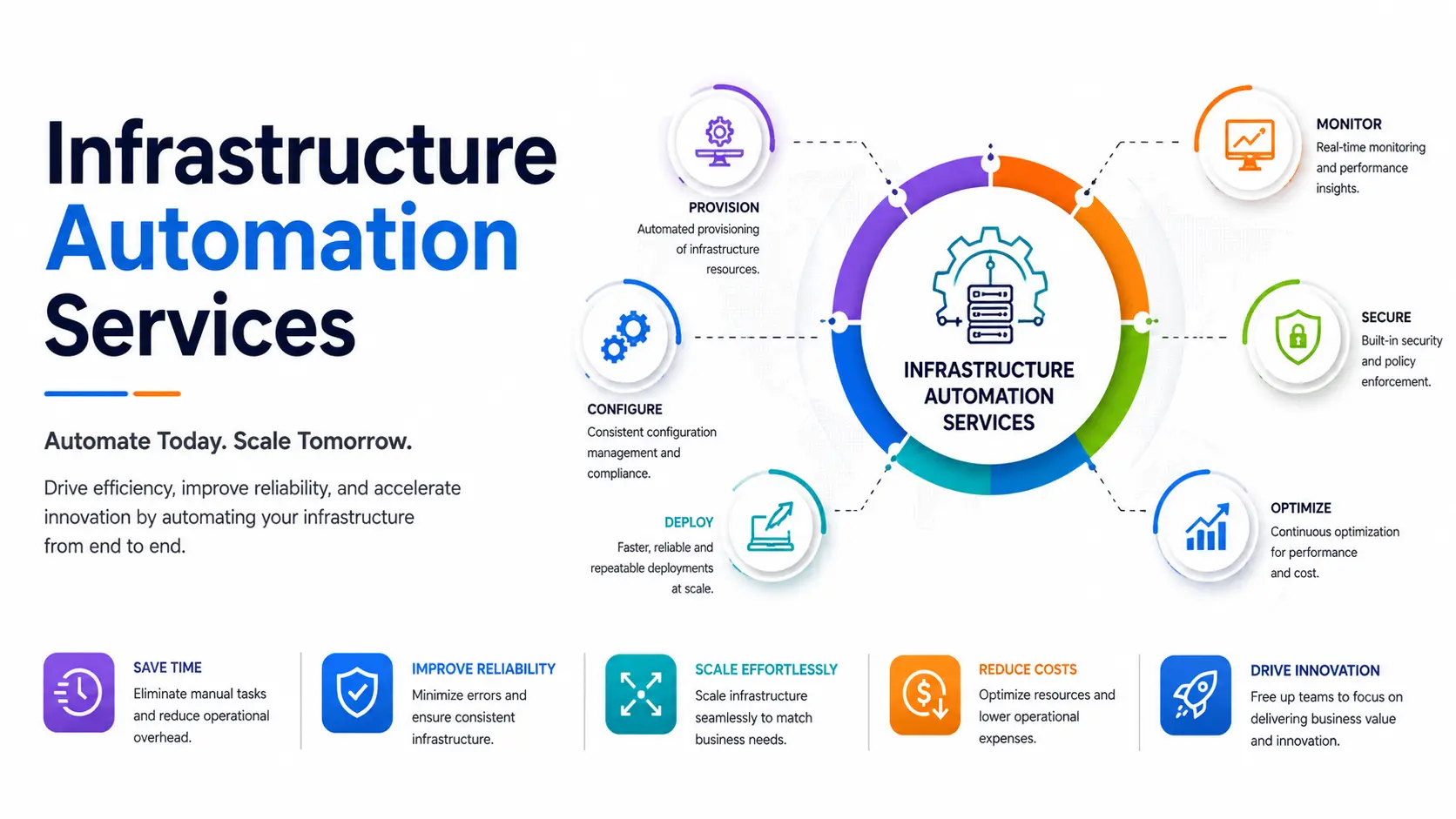
Manually provisioning servers, patching systems, and fixing configuration drift at 11 PM isn't a badge of honor — it's a sign your infrastructure is running your team instead of the other way around. Infrastructure automation replaces those repetitive, error-prone tasks with code-driven workflows that provision, configure, monitor, and scale your IT systems automatically. Done right, it cuts deployment time from days to minutes and removes most of the human error that causes outages in the first place.
At Hyper Software, we build and manage infrastructure automation for businesses that are tired of firefighting and ready to scale without adding headcount to their ops team. Here's everything you need to know before you start — and how we do it.
Infrastructure automation is the use of software and code to manage IT infrastructure — servers, networks, storage, and cloud migration services resources — with little to no manual intervention. Instead of an engineer logging into a server to install software or tweak a config file by hand, automation tools run pre-written scripts that do it consistently, every time, across as many machines as needed.
It covers two things working together: the infrastructure itself (compute, storage, networking, databases) and the automation layer (the tools and scripts that provision, configure, and maintain that infrastructure). Put simply — you write the rules once, and the automation applies them everywhere, reliably.
Most businesses don't set out to "do infrastructure automation." They start because someone spent a weekend rebuilding a server that crashed, or because a new hire took three days to get a working development environment. That pain point is usually where the automation conversation starts.
Get Free Consultation Within Minutes
These three terms get used interchangeably, and that's where a lot of confusion comes from. Here's the actual relationship:
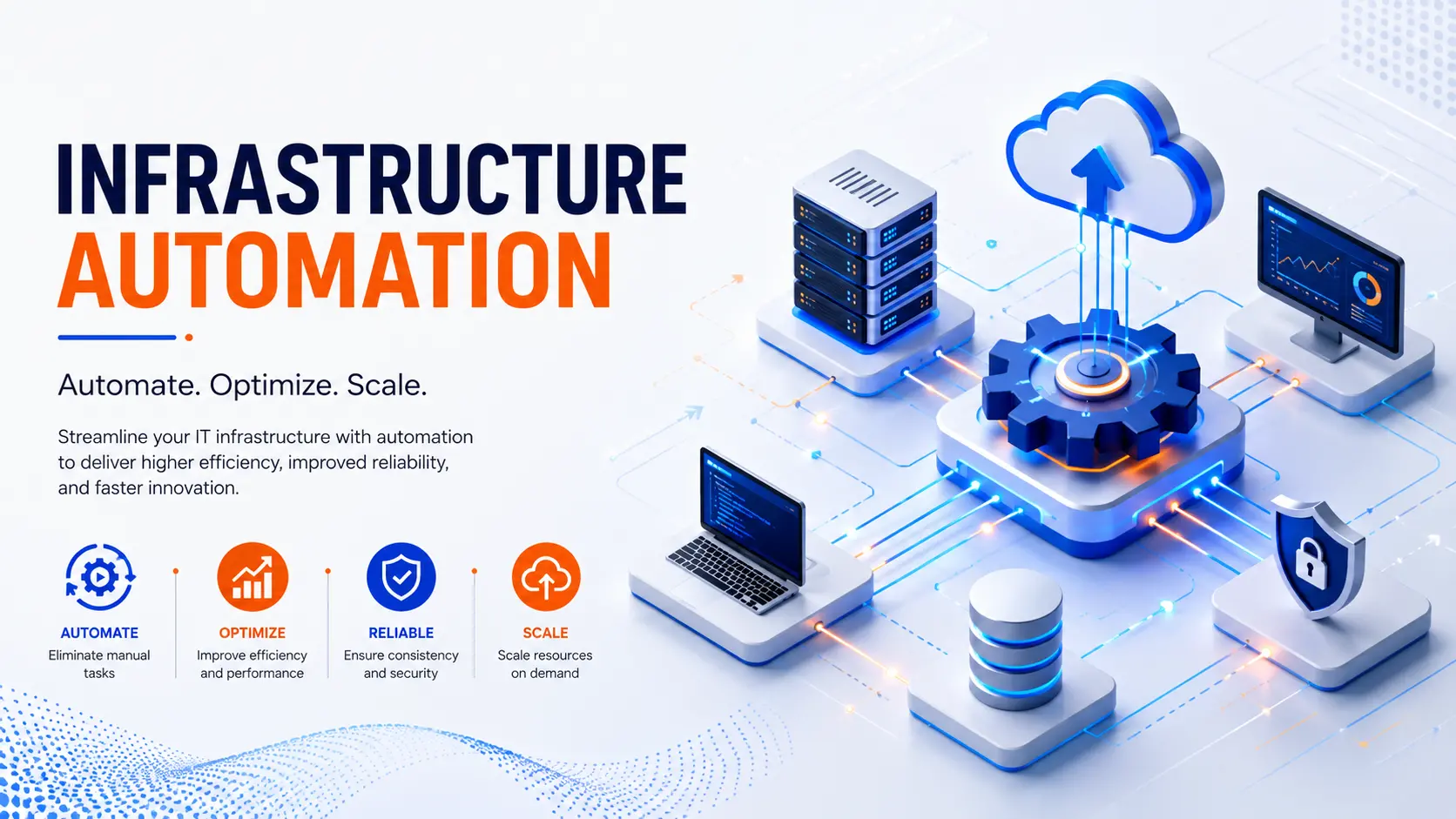
Infrastructure automation is the broad practice — anything that reduces manual work in managing IT systems, including provisioning, monitoring, scaling, and incident response.
Infrastructure as Code (IaC) is one method inside infrastructure automation. It means defining your infrastructure in text files (code) instead of clicking through a
dashboard, so it's version-controlled, repeatable, and testable.
DevOps is the wider culture and set of practices — collaboration between development and operations, CI/CD pipelines, and continuous delivery — that infrastructure automation and IaC support.
Think of DevOps as the philosophy, infrastructure automation as the practical outcome, and IaC as one of the main tools used to get there. You can have infrastructure automation without full IaC (scripts and scheduled jobs count too), but you can't have mature DevOps without some form of infrastructure automation underneath it.
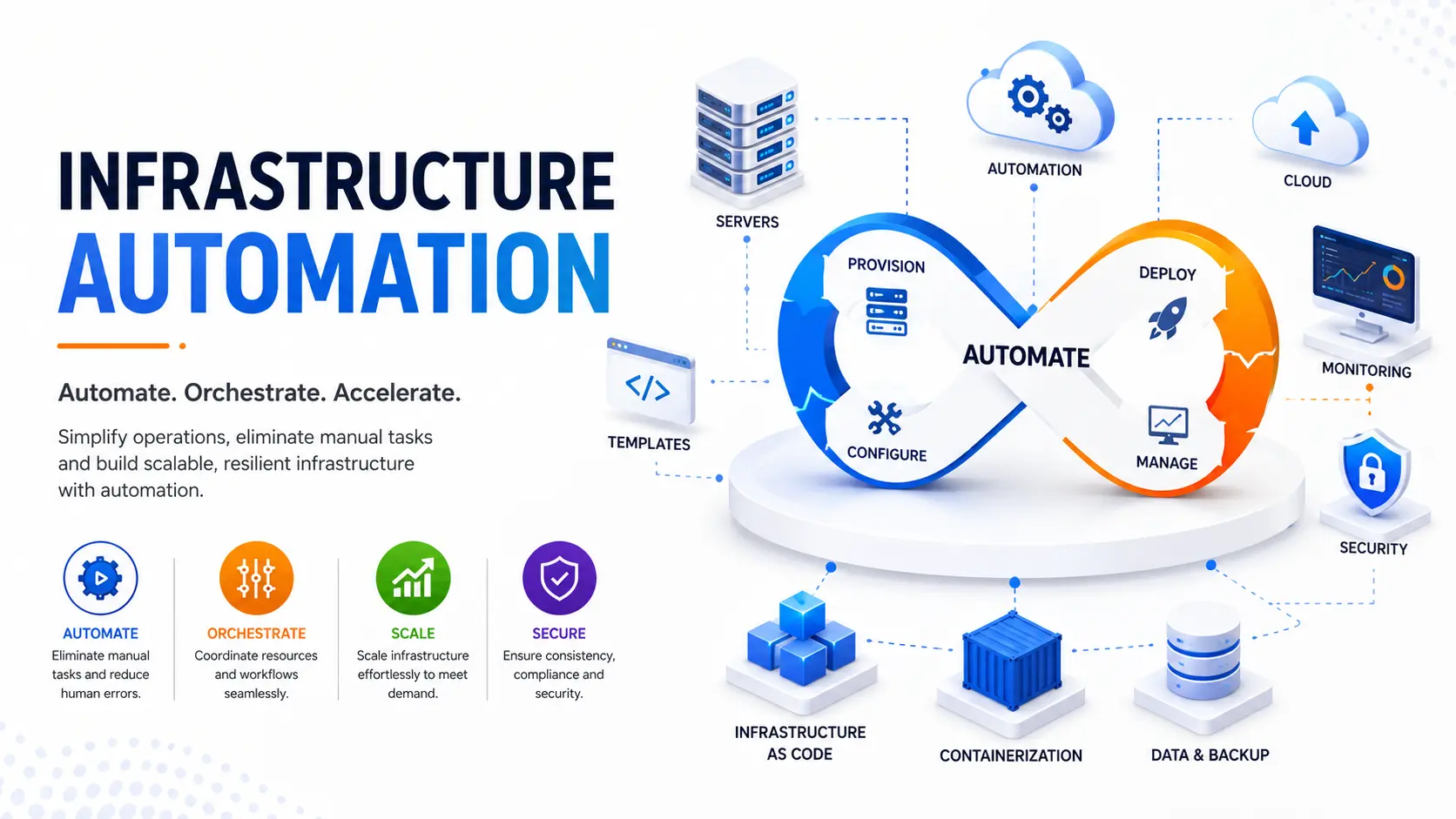
At a basic level, infrastructure automation follows this pattern:
1. Define the desired state — what servers, networks, and configurations should exist, written as code or templates.
2. Provision resources — tools like Terraform create the actual infrastructure (VMs, storage, networks) based on that definition.
3. Configure the systems — tools like Ansible or Puppet install software, apply settings, and enforce security policies on those resources.
4. Monitor continuously — automated checks watch for configuration drift, performance issues, or security gaps.
5. Self-correct or alert — when something drifts from the defined state, the system either fixes it automatically or flags it for review.
This loop runs continuously, not just during initial setup. That's the real value:
infrastructure stays in the state you defined, even as your team grows, deploys new code, or scales up for a traffic spike.
The trade-off worth knowing upfront: automation takes real setup effort. Teams with outdated legacy systems, or no scripting/DevOps experience in-house, usually find the learning curve steeper than expected — which is exactly where working with an experienced partner pays for itself.
Hyper Software ne hamare business ko online ek nayi pehchan di. Website professional, fast aur SEO optimized hai. Website Design & Development ke liye best company.

Different tools solve different parts of the problem. Here's how we think about it, and how we choose:
|
Tool |
Best For |
When We Recommend It |
|
Terraform |
Provisioning cloud |
Almost every project — it's become the de |
|
infrastructure (VMs, |
facto standard for cloud provisioning |
|
|
networks, databases) |
||
|
Ansible |
Configuring what's installed and running on servers |
Pairs with Terraform for a complete provisioning + configuration workflow; |
|
agentless, so it's easy to adopt |
||
|
Puppet |
Enforcing strict desired-state |
Larger enterprises with strict compliance |
|
compliance at scale |
and audit requirements |
|
|
Chef |
Code-driven configuration for complex, custom |
Teams already invested in Ruby-based workflows or existing Chef estates |
|
environments |
||
|
Container orchestration and |
Applications built on microservices or |
|
|
scaling |
containers |
|
|
Jenkins / GitHub Actions / GitLab CI |
CI/CD pipeline automation |
Automating build, test, and deployment steps |
For most new projects in 2026, the practical default is Terraform for provisioning paired with Ansible for configuration — it covers the majority of use cases without the overhead of running multiple heavier tools. We adjust that recommendation based on your existing stack, team skills, and compliance needs, not the other way around.
1. Infrastructure audit. We map your current setup — servers, cloud accounts, networking, and manual processes — and flag the biggest risk points and time sinks.
2. Automation roadmap. We prioritize what to automate first based on impact: usually provisioning and repetitive configuration tasks come before more complex self-healing workflows.
3. Build and test. We write the IaC scripts and automation playbooks, and test them in a staging environment before touching production.
4. Controlled rollout. We migrate piece by piece, monitoring closely, so there's no "big bang" cutover risk.
5. Monitoring and ongoing optimization. Once live, we set up alerting and review the setup regularly as your infrastructure grows and your needs change.
A mid-size eCommerce client came to us after a manual deployment error took their checkout page offline during a flash sale — a mistake made while an engineer was manually applying a config change under time pressure. Their entire deployment process depended on two people who knew the servers by memory, with no documentation and no version control on infrastructure changes.
We ran a two-week audit, then rebuilt their provisioning and configuration process using Terraform and Ansible, version-controlled in Git. Deployments that used to take a senior engineer half a day now run through a pipeline in about 20 minutes, with automatic rollback if something fails a health check. Six months later, they hadn't had a single infrastructure-related outage, and their team could onboard a new hire into the environment in under an hour instead of a week.
|
Factor |
DIY (In-House) |
Hiring an Agency |
|
Best for |
Small, simple setups with an existing |
Growing businesses without a |
|
DevOps engineer on staff |
dedicated automation specialist, or |
|
|
complex/legacy environments |
||
|
Upfront cost |
Lower cash cost, but high time cost from your existing team |
Higher upfront investment, but faster and lower risk |
|
Speed |
Slower — learning curve on tools like |
Faster — experienced teams avoid |
|
Terraform/Ansible takes weeks to |
common mistakes and rework |
|
|
months |
||
|
What can go |
Misconfigured scripts causing outages, |
Requires trusting an external partner |
|
wrong |
security gaps from incomplete setup, key- |
with infrastructure access — mitigated |
|
person dependency if the one person who |
by clear contracts, access controls, |
|
|
built it leaves |
and documentation |
|
|
Ongoing |
Falls entirely on your internal team |
Can be handled as an ongoing |
|
maintenance |
managed service |
If you already have a skilled DevOps engineer and a fairly simple stack, DIY can work fine. Most businesses without that in-house expertise find that a botched DIY automation attempt costs more in downtime and rework than hiring it out properly from the start.
Infrastructure automation means using software and scripts to manage IT infrastructure — servers, networks, and cloud resources — without manual, repetitive human intervention for every task.
No. IaC is one method within infrastructure automation, specifically defining infrastructure through code. Infrastructure automation is the broader practice, which also includes monitoring, scaling, and incident response.
Common tools include Terraform for provisioning, Ansible, Puppet, and Chef for configuration management, and Kubernetes for container orchestration.
Small businesses with only a couple of servers may not need full automation immediately, but any business planning to scale benefits from starting early, before manual processes become unmanageable.
It depends on scope — a single pipeline can be automated in a few weeks, while a full enterprise environment migration can take a few months.
It's using code and software tools to set up, configure, and manage your servers and cloud systems automatically, instead of doing it by hand every time.
DevOps is the broader culture of collaboration between development and operations teams. Infrastructure automation is one of the practical outcomes of DevOps — the actual tooling and scripts that make fast, reliable deployment possible.
They're not really competitors — Terraform provisions infrastructure (creates servers, networks), while Ansible configures what runs on that infrastructure (installs software, applies settings). Most modern setups use both together.
No. Small and mid-size businesses benefit too, especially once manual server management starts eating into engineering time or causing inconsistent environments.
It depends on your current setup, the tools required, and whether you need a one-time project or ongoing managed automation. A short discovery call gives you an accurate figure rather than a generic estimate.
There's no single flat number here, and any page that gives you one without asking about your setup is guessing. Cost depends on:
As a general guide, small business automation projects (a handful of servers, one cloud provider) tend to be a fraction of the cost of enterprise multi-cloud automation programs, which can run into the tens of thousands of dollars depending on complexity. The only reliable way to get a real number is a short discovery call — we'll tell you honestly if your setup is simple enough to do cheaply, rather than upselling you on complexity you don't need.
Common Mistakes in Infrastructure Automation
Choosing tools based on trends, not fit. The "best" tool is the one that matches your team's skills and your infrastructure, not whatever is trending on Hacker News this month.
Hyper Software has been helping businesses through digital transformation since 2020, from our base in Jaipur, Rajasthan, serving clients across India and globally. Infrastructure automation isn't a side offering for us — it sits alongside our custom software, cloud, and DevOps work, so the automation we build actually fits how your applications are developed and deployed, not just how your servers are configured.
We keep things straightforward: a real audit before any recommendation, clear documentation so you're never locked into one engineer's knowledge, and ongoing support once the automation is live. If a simpler fix solves your problem, we'll tell you that instead of selling you a bigger project.
Yes. Since automated deployments are consistent and testable before going live, and automation can detect and fix common issues (like configuration drift) before they cause an outage, downtime typically drops significantly.
Configuration drift happens when a server's actual settings slowly diverge from what they're supposed to be, usually from manual changes that aren't documented. It's a common cause of "it worked before" failures, and automation prevents it by continuously enforcing the defined state.
No. Infrastructure automation works for on-premise, hybrid, and cloud environments. Cloud environments are often easier to automate quickly, but on-premise and legacy systems can be automated too, just with more upfront planning.
IaC means defining your infrastructure — servers, networks, configurations — in code files instead of manually configuring things through a dashboard. This makes infrastructure version-controlled, repeatable, and testable.
It enforces consistent security policies, patching, and access controls across every system automatically, closing the gaps that come from manual, inconsistent processes.
Have questions or need expert guidance? Our team is ready to help you with the right technology solutions for your business.