
Hyper Software ne hamare business ko online ek nayi pehchan di. Website professional, fast aur SEO optimized hai. Website Design & Development ke liye best company.

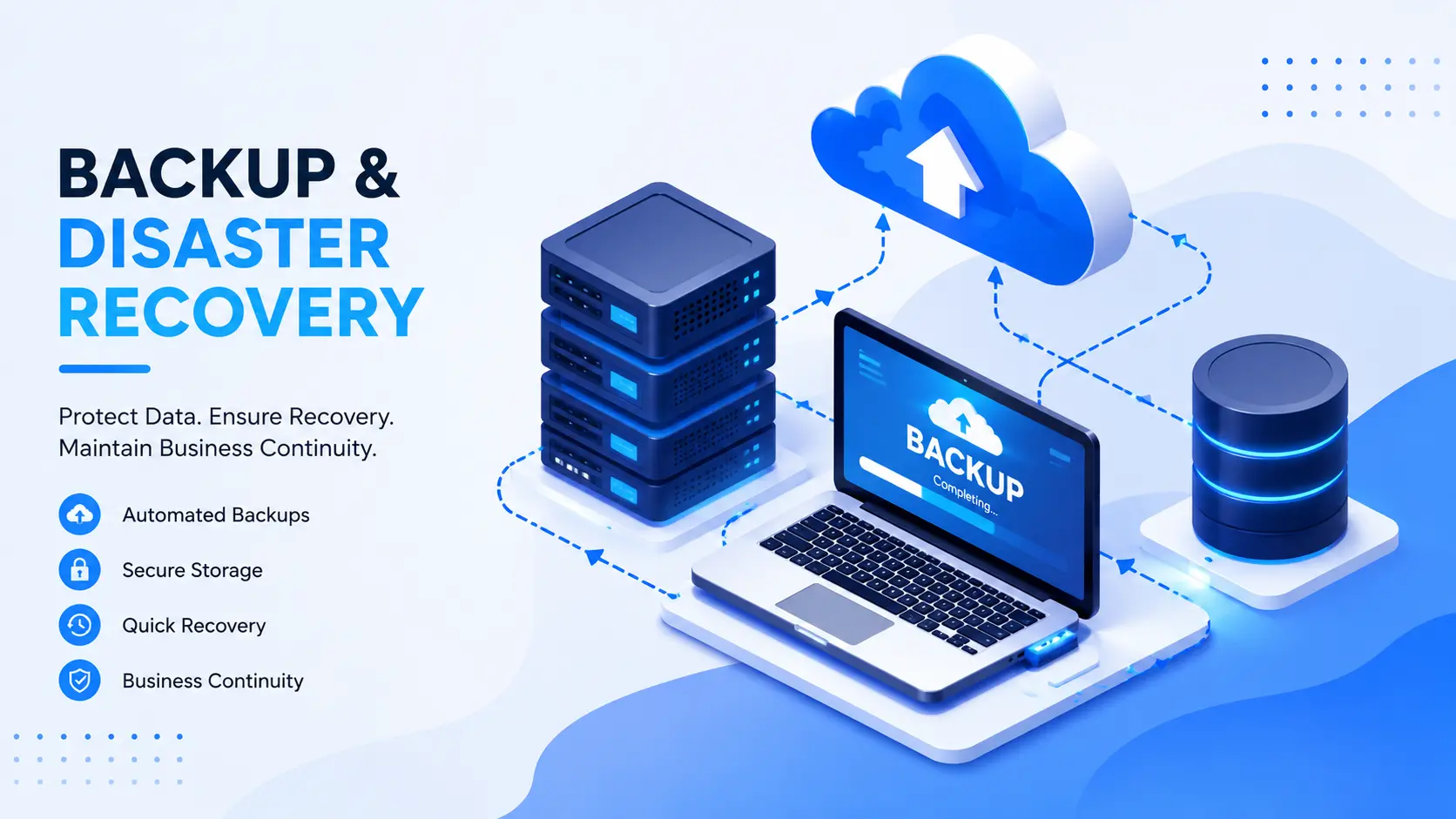
If your server management crashed right now, or ransomware locked every file on your network this morning, how long before your business is back to normal? For most companies without a real plan, the honest answer is "we don't know." That's the gap Backup & Disaster Recovery closes.
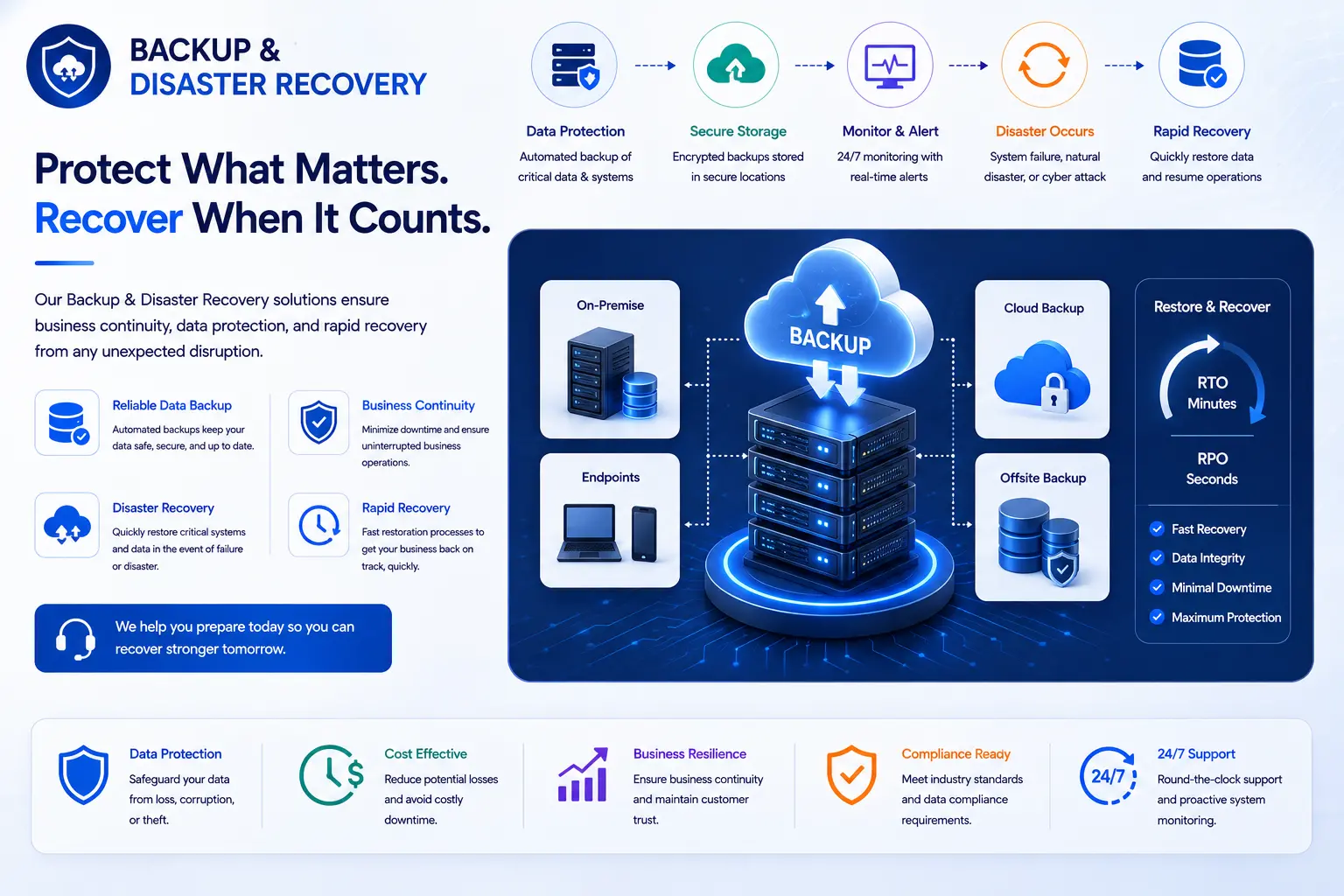
Backup & Disaster Recovery (BDR) is the combination of copying your business data to a safe, separate location and having a tested plan to restore your systems fast after anything goes wrong — a cyberattack, a hardware failure, a flood, or someone accidentally deleting the wrong folder. Hyper Software builds and manages this for businesses that can't afford to find out the hard way whether their backups actually work.
We've been doing this since 2020, working with companies across India and clients overseas who needed more than a backup tool sitting quietly in the background. They needed someone who picks up the phone when things go wrong.
A lot of business owners think backup and disaster recovery are the same thing. They're not, and mixing them up is exactly how companies end up with a false sense of security. Backup is the copy. It's your data, saved somewhere other than your main system, so it isn't gone forever if something happens to the original.
Disaster recovery is the plan. It's what happens after the bad event — how fast you get your servers, applications, and data back online, in what order, and who's responsible for each step.
You can have great backups and still fail at disaster recovery. We've seen it happen: a company backed up their files diligently for two years, then discovered during an actual crisis that restoring everything would take four days, because nobody had ever tested the restore process or planned for it. The backup existed. The recovery didn't. That's the difference a proper BDR service is built to solve.
Get Free Consultation Within Minutes
Every disaster recovery conversation eventually comes down to two numbers.
RTO (Recovery Time Objective) is how long your business can be down before it really hurts. If your RTO is 4 hours, that means your systems need to be back up within 4 hours of an outage, not by the end of the week.
RPO (Recovery Point Objective) is how much data you can afford to lose. If you back up every 6 hours and something fails right before the next backup, you could lose up to 6 hours of work. An RPO of 15 minutes means backups run every 15 minutes, so you'd lose, at most, 15 minutes of data.
Here's a simple way to think about it: RPO looks backward at what you might lose. RTO looks forward at how long you'll be waiting.
A busy e-commerce store checking out hundreds of orders an hour needs a tight RPO —losing even an hour of orders is expensive and confusing to untangle. A small internal reporting tool used once a week can live with a longer RPO. Not every system in your business needs the same protection, and that's actually good news, because it keeps costs realistic.
We don't sell a single generic package. We build the setup around what your business actually runs on and how much downtime it can survive.
Automated Data Backup (Cloud, On-Premise, Hybrid)
We set up automated, scheduled backups of your servers, databases, applications, and files. Depending on your setup, this can be cloud-based, kept on your own hardware, or a mix of both. Backups run on a schedule that matches your RPO, not a generic "once a day" default that may not fit your business.
Disaster Recovery as a Service (DRaaS)
If your main systems go down, DRaaS spins up a working copy of your environment in the cloud hosting so your team can keep operating while the main issue gets fixed. This is the piece most DIY backup tools simply don't offer.
Ransomware & Cyberattack Recovery
We keep at least one backup copy immutable and isolated from your live network, so if ransomware hits, it can't touch your recovery copy. Recovery plans include steps for verifying the backup is clean before restoring it, so you don't accidentally reinfect your own systems.
Business Continuity Planning
Beyond the technical recovery, we help map out who does what during an incident: who communicates with staff, who talks to customers, and what the priority order is for bringing systems back online.
Backup Testing & Recovery Drills
A AWS Backup you've never tested is a guess, not a plan. We run scheduled recovery drills so youknow, before disaster strikes, that the restore actually works and roughly how long it takes.
The 3-2-1 rule is the industry baseline for backup strategy:
It's a solid starting point, but ransomware changed the game. Attackers now actively hunt for connected backups and try to encrypt or delete them too. That's why we recommend going further, to 3-2-1-1-0:
This isn't just theory dressed up for a webpage. It's the same standard we hold our own client environments to.
Hyper Software ne hamare business ko online ek nayi pehchan di. Website professional, fast aur SEO optimized hai. Website Design & Development ke liye best company.

Most people picture disaster recovery as protection against fires and floods. Those matter, but they're rarely the reason companies actually call us. The real list looks more like this:
Notice how far down the list "natural disaster" sits. Most businesses that call us in a panic are dealing with ransomware or a simple hardware failure, not a hurricane. Plan for the boring, likely stuff first.
This is the question almost every business owner asks at some point: can we just handle this ourselves with a backup tool?
Sometimes, yes. Here's an honest breakdown.
|
DIYBackup Tools |
Hiring an Agency (Hyper Software) |
|
|
Best for |
Very small teams, low-risk data, |
Any business where downtime costs |
|
tight budgets |
real money |
|
|
What you get |
File copies, basic scheduling |
Full recovery plan, tested restores, |
|
expert support during an incident |
||
|
Ransomware |
Often limited or none |
Immutable, isolated backups built in |
|
protection |
||
|
Who fixes it during a crisis |
You, usually while panicking |
A team that's done this before, on call |
|
Ongoing cost |
Lower upfront |
Higher upfront, lower risk cost |
|
overall |
||
|
What can go wrong |
Untested restores, missed |
Rare, since testing and process are |
|
doing it alone |
backups, no plan for who does what |
built in |
DIY tools protect files. They don't usually protect your business's ability to actually get back to work quickly, because most owners never test the restore process until it's an emergency, and by then it's too late to fix gaps.
If your business would survive a full day of downtime without serious damage, a DIY setup might genuinely be enough. If a single day offline would cost you customers, revenue, or your reputation, that's the point where a managed service earns its cost back many times over.
There's no single number here, and any provider who quotes one before understanding your setup is guessing. Cost depends on a few real factors:
As a general shape, small businesses with modest data volumes typically see monthly costs in the low hundreds of dollars, while mid-size and enterprise setups with tighter RTO/RPO targets and multiple systems run into the thousands per month. Exact pricing varies by provider and setup, so treat any number you see online as a starting point, not a quote. We give every client a specific figure after a short assessment of their actual environment, not a one-size number pulled from a rate card.
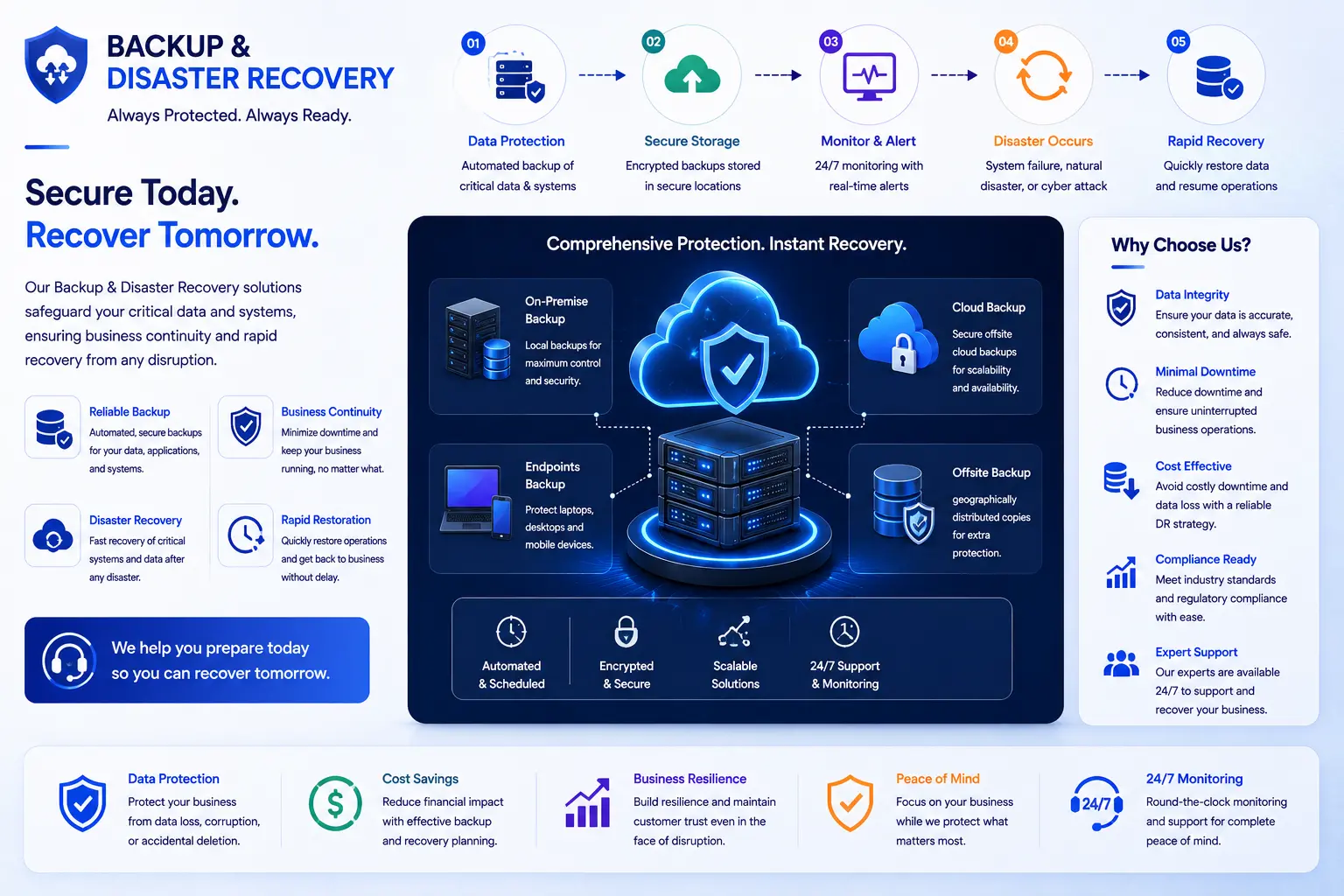
Assessment — We look at your current systems, data volume, and what a day of downtime would actually cost your business.
2. RTO/RPO Planning — Together, we set realistic recovery targets for each system, based on priority, not a blanket policy.
3. Backup Setup — We configure automated backups across the right mix of cloud, onsite, and offline storage.
4. Disaster Recovery Plan — We document exactly who does what, in what order, during an incident.
5. Testing & Drills — We run scheduled recovery tests, so the plan is proven before you ever need it for real.
6. Ongoing Monitoring — We monitor backup jobs and alert you (and ourselves) if anything fails to run.
7. Support During an Incident — If disaster strikes, our team is on call to walk you through recovery, not just hand you a manual.
A mid-size logistics company came to us after a ransomware attack locked their dispatch and billing systems on a Friday afternoon. Their existing backup was cloud-based, but nobody had ever tested a full restore, and the backup itself turned out to be partially encrypted too, because it was connected to the same network the attackers had reached.
We isolated the infected systems first, then worked from an older, unaffected backup snapshot we'd flagged as their offline recovery point during onboarding two months earlier. By Saturday morning, their dispatch system was back online with the previous day's data
intact. They lost about six hours of new orders, which their team was able to manually re-enter from paper records and driver call-ins.
The company's IT lead later said the biggest surprise wasn't that ransomware hit them. It was how much difference having one properly isolated backup copy made. Without it, they'd have been negotiating with attackers or rebuilding from nothing. That's the whole point of disaster recovery. It's not about preventing every bad day. It's about making sure a bad day doesn't turn into a bad year.
Backup & Disaster Recovery (BDR) is the practice of copying your business data to a secure location and having a tested plan to restore your systems quickly after an outage, cyberattack, or disaster. Backup protects the data. Disaster recovery protects your ability to keep operating.
Backup is the copy of your data stored somewhere safe. Disaster recovery is the full plan and process for getting your systems and operations back up and running after something goes wrong. You need both, not just one.
RTO (Recovery Time Objective) is how long your business can be down before it seriously hurts. RPO (Recovery Point Objective) is how much data you can afford to lose, measured by how far back your last good backup goes.
The 3-2-1 rule means keeping three copies of your data, on two different types of storage, with one copy stored offsite. It's the baseline standard for reliable backup strategy.
It depends on your RPO. Businesses handling constant transactions, like e-commerce, often need backups every 15 to 60 minutes. Less critical systems can run on daily backups. There's no single correct frequency for every business.
Yes, when it's set up correctly. Keeping at least one backup copy immutable and isolated from your live network means ransomware can't reach or encrypt it, giving you a clean copy to restore from.
Cost depends on your data volume, RTO/RPO targets, and whether you use cloud, on-premise, or hybrid storage. Small businesses often start in the low hundreds of dollars per month, while larger setups with tighter recovery targets cost more. An assessment gives you an exact figure.
Cloud storage alone usually isn't disaster recovery. Most cloud storage tools copy files but don't include a tested plan for restoring full systems, applications, and access quickly. Disaster recovery adds the plan on top of the storage.
Not fully. These platforms are built for uptime, not long-term backup, and they don't protect you from accidental deletion, ransomware, or account compromise the way a dedicated backup service does.
This depends entirely on your RTO target. With a well-tested plan, critical systems can often be restored within hours. Without a tested plan, recovery can take days, even if backups exist.
Hyper Software has been building technology solutions for businesses since 2020, based in Jaipur and working with clients across India and internationally. We're not a backup software vendor reselling a licence and walking away. We design the backup strategy, set the RTO/RPO targets with you, run the recovery drills, and stay on the phone when something actually breaks.
We work across cloud, on-premise, and hybrid environments, and we build every plan around what your business genuinely needs, not a fixed package. If you want a second opinion on your current backup setup, that conversation costs nothing to start.
Any business that loses money or trust during downtime benefits, but it's especially critical for healthcare, finance, e-commerce, logistics, and any company handling sensitive customer data.
Yes. Plans can be scaled to fit smaller data volumes and simpler systems. The bigger risk is usually assuming disaster recovery is only for large enterprises, and then losing far more in downtime than protection would have cost.
This is exactly why testing matters. A provider should be running scheduled recovery drills so a failed backup is caught and fixed long before it's ever needed for real.
They're related but not identical. Disaster recovery focuses on restoring IT systems and data. Business continuity planning is broader, covering how the whole business, including people and processes, keeps functioning during a disruption.
Ask when it was last tested with a full restore, whether any copy is offline or immutable, and what your actual RTO and RPO are today. If those answers are unclear, it's worth getting a professional assessment.
Have questions or need expert guidance? Our team is ready to help you with the right technology solutions for your business.